Changing Profile Picture
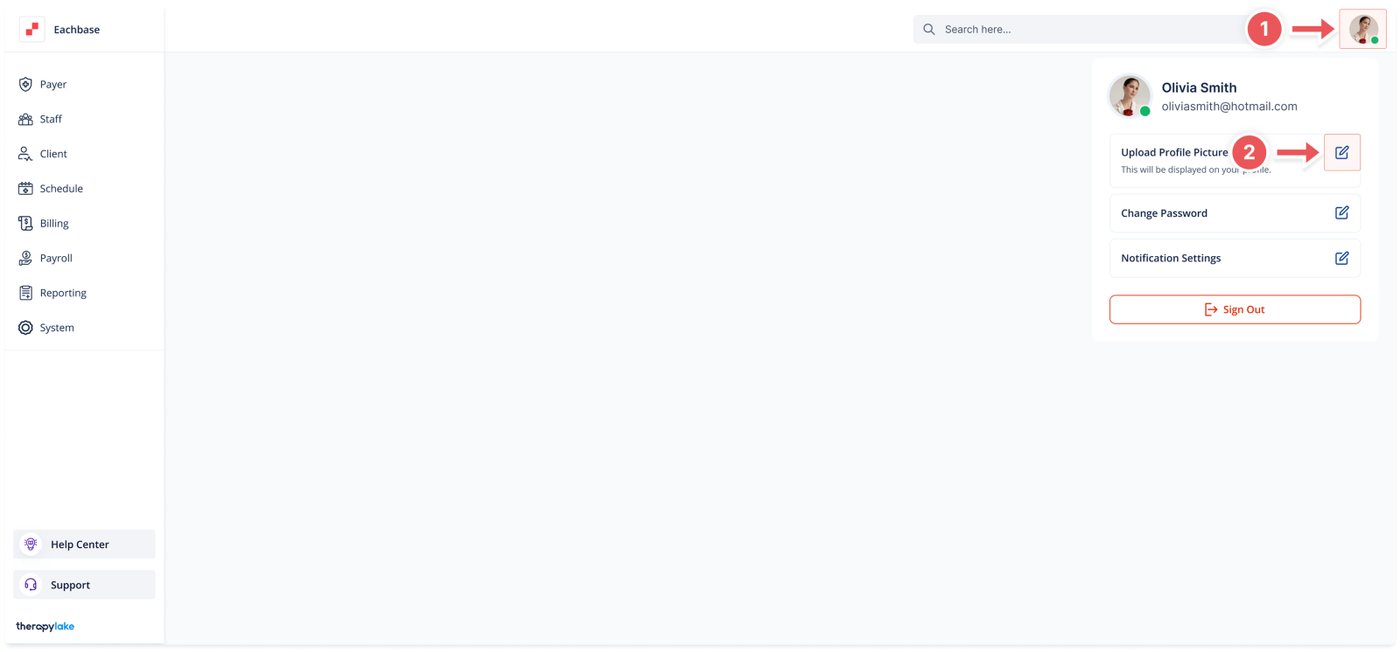
1. Access Profile Settings
-
Click on the avatar icon in the top-right corner of the screen.
2. Open Upload Profile Picture Modal
-
In the dropdown that appears, click on the "Upload Profile Picture" button.
3. Upload a New Profile Picture
-
Click on the upload area labeled "Click to upload or drag and drop"
-
Or drag and drop your image file into the upload box
-
Supported formats: JPEG, PNG, or JPG
-
Maximum file size: 2MB
4. Save the Profile Picture
-
After selecting the file, click the Save button to upload the new profile picture.
5. Completion
-
Your profile picture will now be updated.