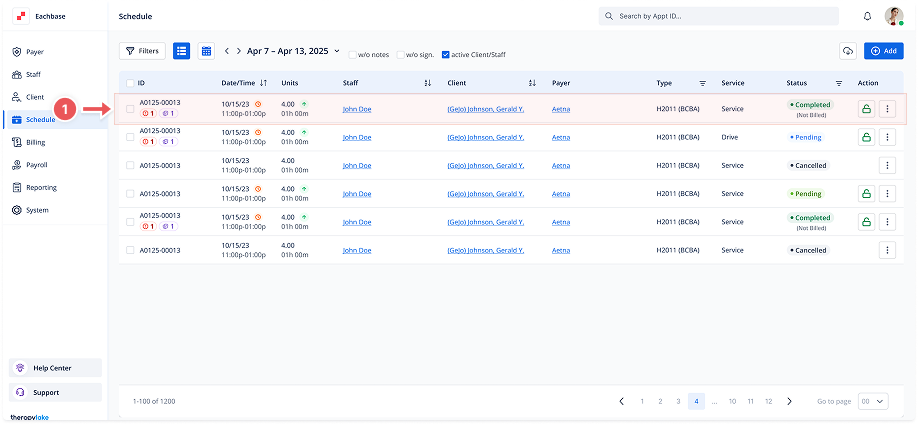
Viewing Appointment Details from the Schedule View
1. Navigate to the Schedule Section
-
Go to the Schedule section in the left panel.
2. Select the Appointment
-
In the calendar, find the appointment you wish to view.
-
Click on the appointment to open its details.
3. View Appointment Details
-
The appointment details page will display relevant information about the appointment, such as date, time, participants, and status.
-
You may also see additional notes or attachments related to the appointment.
4. Edit or Update the Appointment
-
If changes are needed, click the Edit button to modify appointment details.
-
After making changes, click Save to update the appointment, or click Exit to leave without saving.