Voiding a Claim Payment
1. Navigate to Claim Payments
-
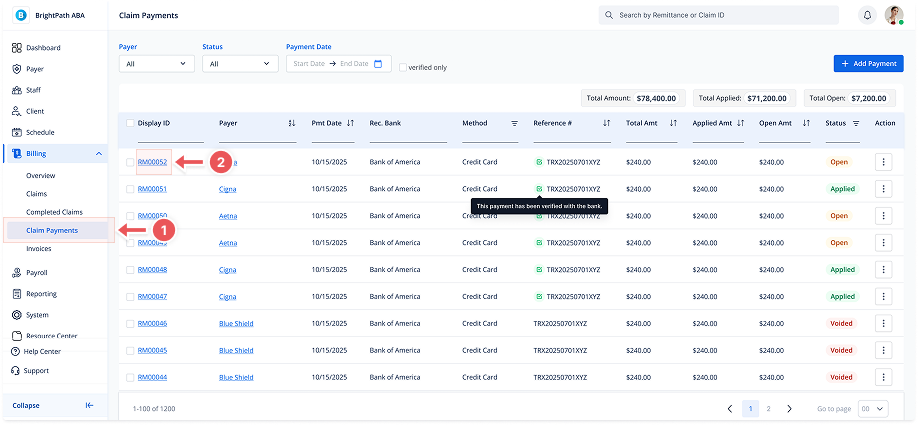
Go to Billing > Claim Payments from the sidebar.
2. Open the Payment Details Page
-
Click the Display ID in the list to open the Payment Details view.
3. Click "Void"
-
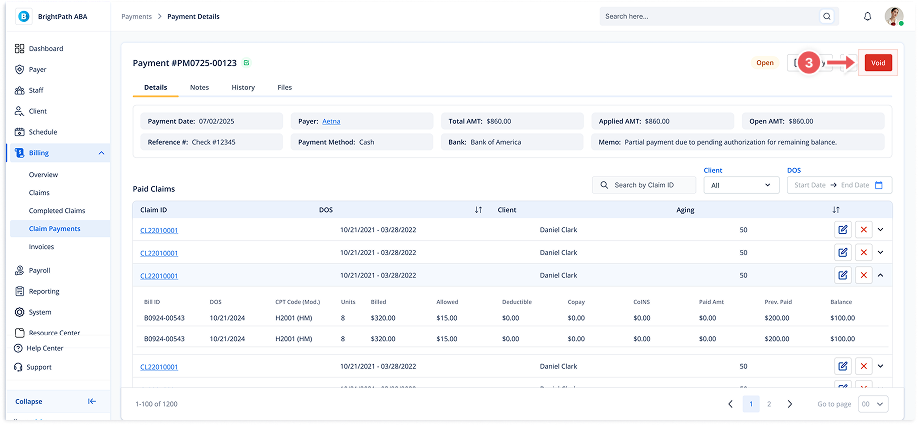
In the top-right corner of the details page, click the red Void button.
4. Confirm and Provide Reason
-
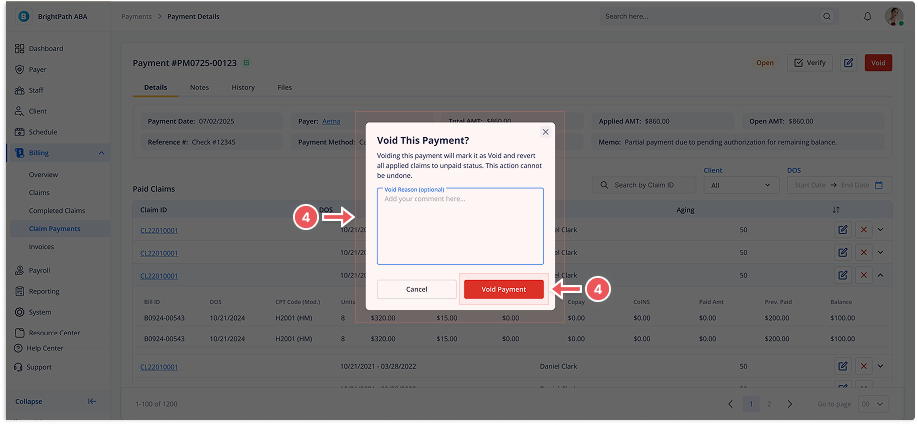
A confirmation modal will appear. You must enter a reason for voiding the payment before proceeding.
-
Click Void Payment to confirm.