Downloading a Form
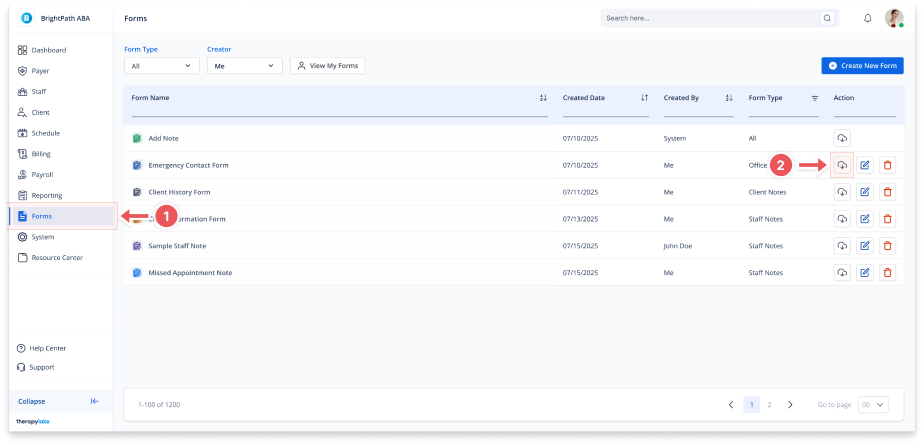
1. Navigate to Forms
-
Go to the left-hand navigation panel and click Forms.
2. Click the Download Icon
-
In the Actions column of the form you want to download, click the download icon.
3. Download the PDF
-
The form will be exported and automatically downloaded as a PDF.
-
The file will include the form's current fields and configuration.