Downloading Payer Files
1. Access the Payer Section
-
- Go to the > Payer section in the left panel.
2. Select the Payer
-
- Choose the Payer from which you want to download a file.
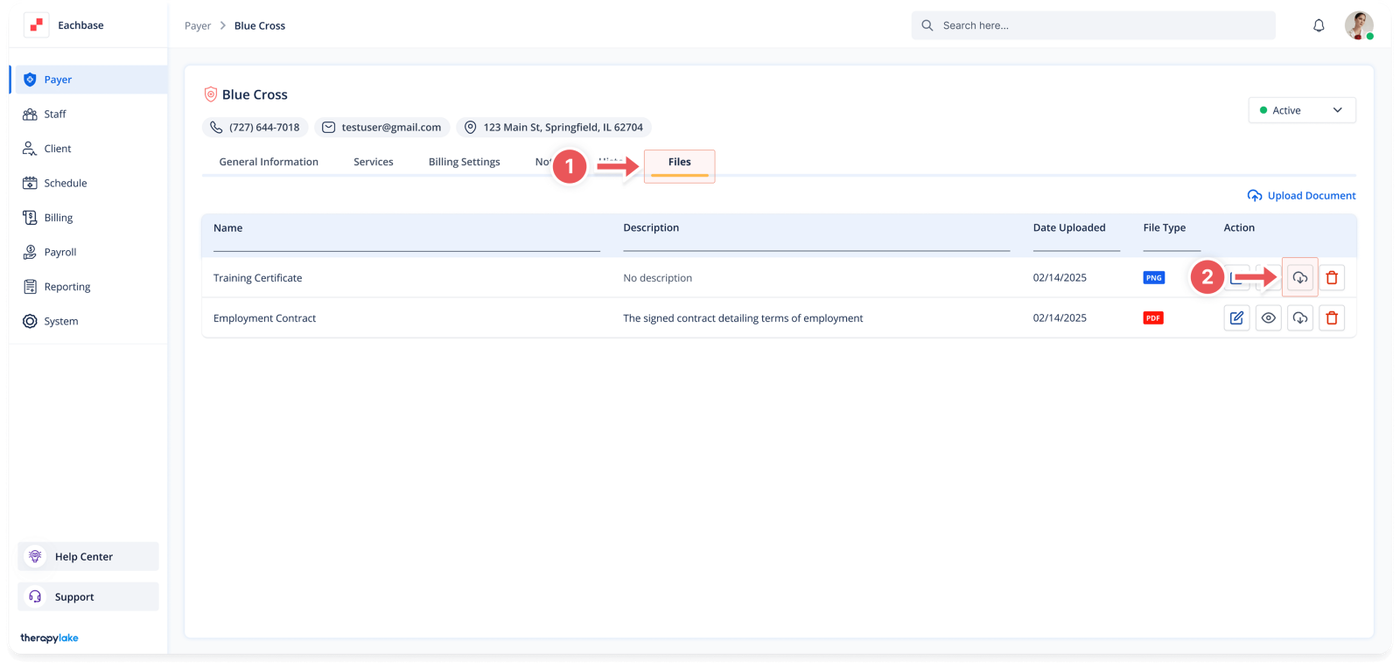
3. Navigate to the Files Tab
-
- Click on the Files tab at the top of the page to view all files associated with the Payer.
4. Locate the File to Download
-
- In the files table, find the file you wish to download.
5. Download the File
-
- Click on the cloud icon with a small arrow pointing down on the right side of the file's line in the table.
6. Save the File
-
- The file will be downloaded to your device. Choose the location where you want to save the file.
Was this article helpful?