Changing Client Status
Changing Client Status
1. Access the Client Section
-
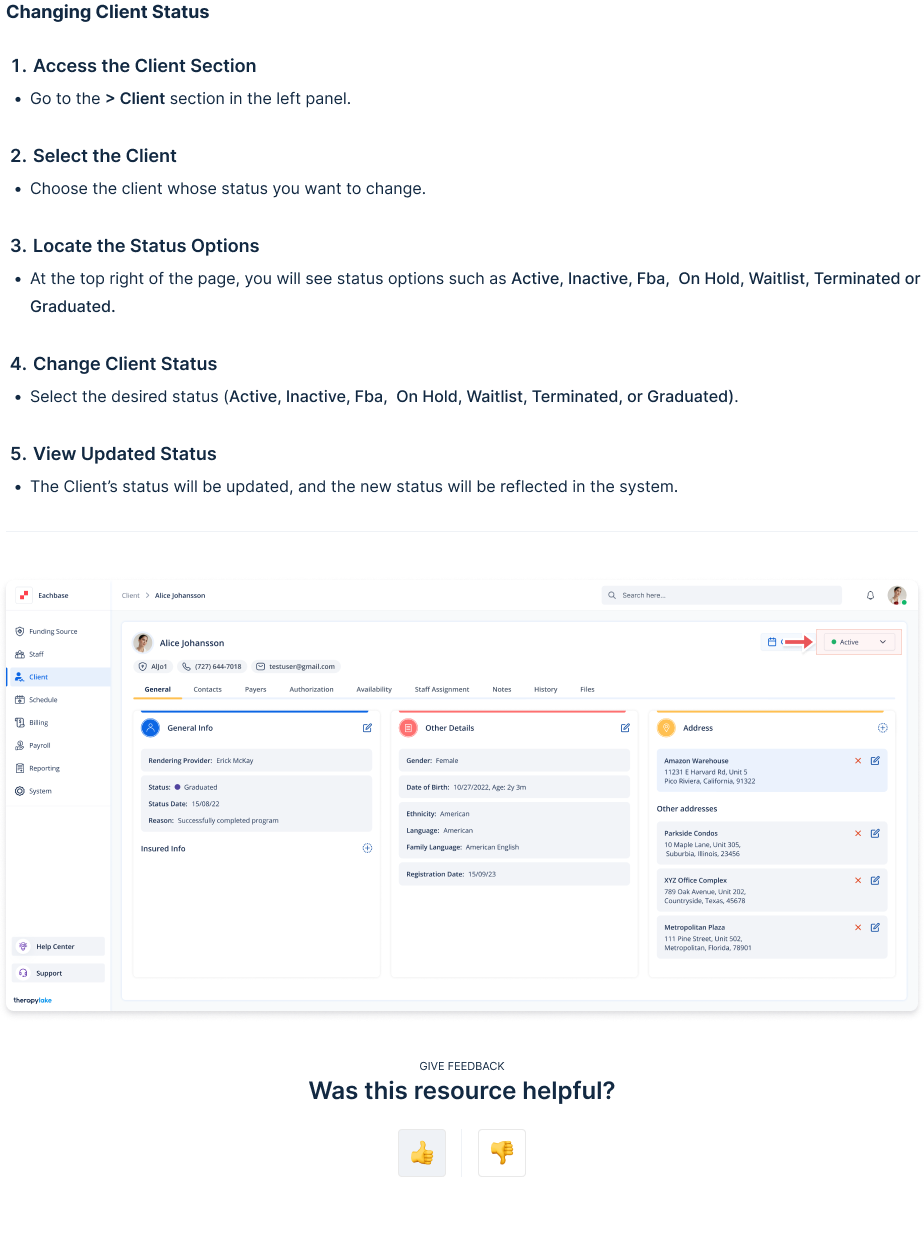
Go to the > Client section in the left panel.
2. Select the Client
-
Choose the client whose status you want to change.
3. Locate the Status Options
-
At the top right of the page, you will see status options such as:
Active
Inactive
Fba
On Hold
Waitlist
Terminated
Graduated
4. Change Client Status
-
Select the desired status from the available options.
5. View Updated Status
-
The client's status will be updated immediately and reflected in the system.