

Verifying a Claim Payment
1. Navigate to Claim Payments
-
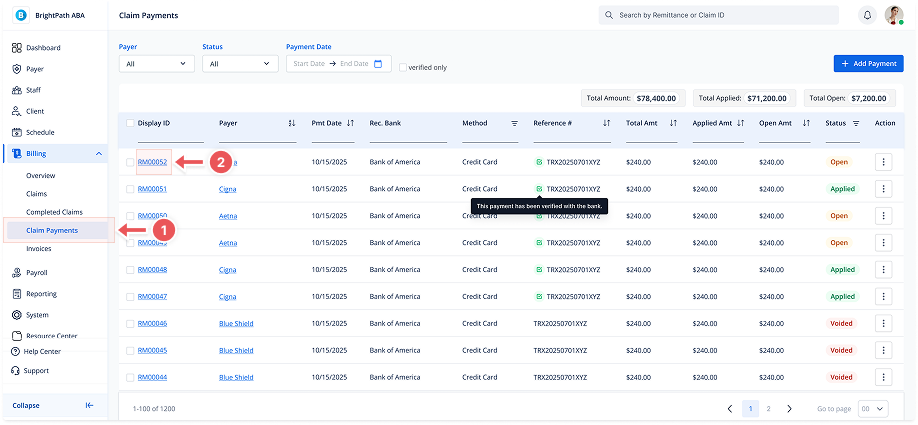
Go to Billing > Claim Payments from the sidebar.
2. Open the Payment Details Page
-
Click the Display ID in the list to open the Payment Details view.
3. Click "Verify"
-
At the top-right of the Payment Details page, click the Verify button.
