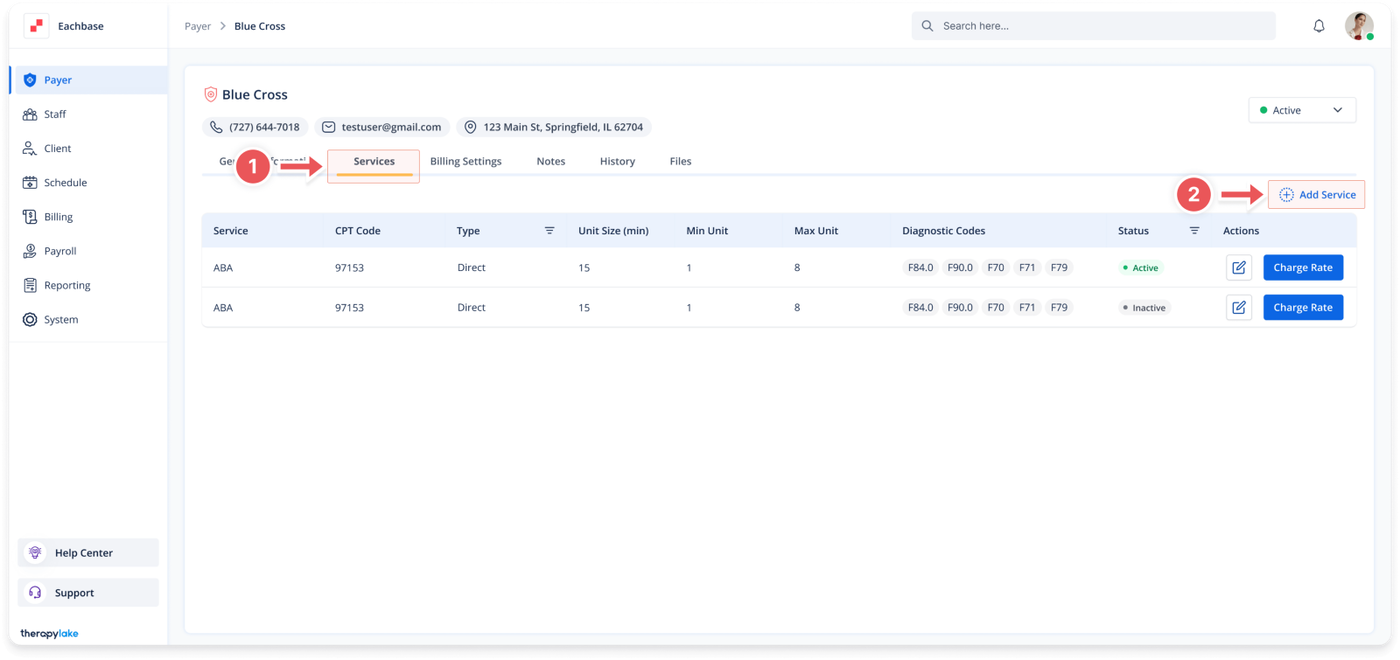
Select the Payer to which you want to add a service.
2. Add a New Service
Select the Services tab at the top of the page.
Click the blue + Add Service button located above the table on the right side.
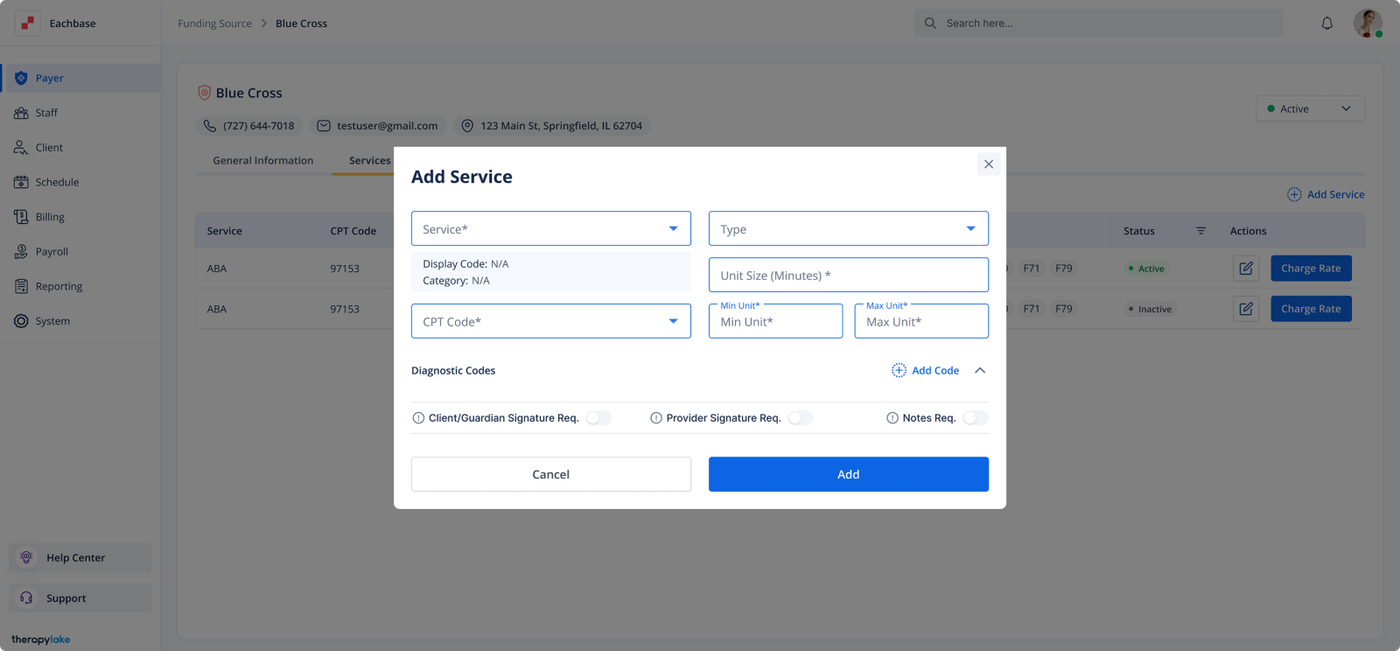
Fill in and select the appropriate fields in the Add New Service pop-up window:
Service: Choose the type of service
CPT Coder: Enter the CPT code
Type: Choose the service type.
Unit Size (Minutes): Enter how many minutes are in 1 unit for this service type (e.g., if 1 unit = 15 minutes, type “15”).
Min Unit and Max Unit: Enter the minimum and maximum number of units allowed in one appointment (e.g., Min = 1, Max = 4 with a unit size of 15 minutes means an appointment must be between 15 to 60 minutes).
Require Signature: Toggle to enable if every appointment with this service type will require a signature to be rendered.
Require Notes: Toggle to enable if every appointment with this service type will require a note to be rendered.
Diagnostic Codes: Enter the Diagnostic Codes
3. Save the Service
Click the Add button at the bottom of the pop-up window.