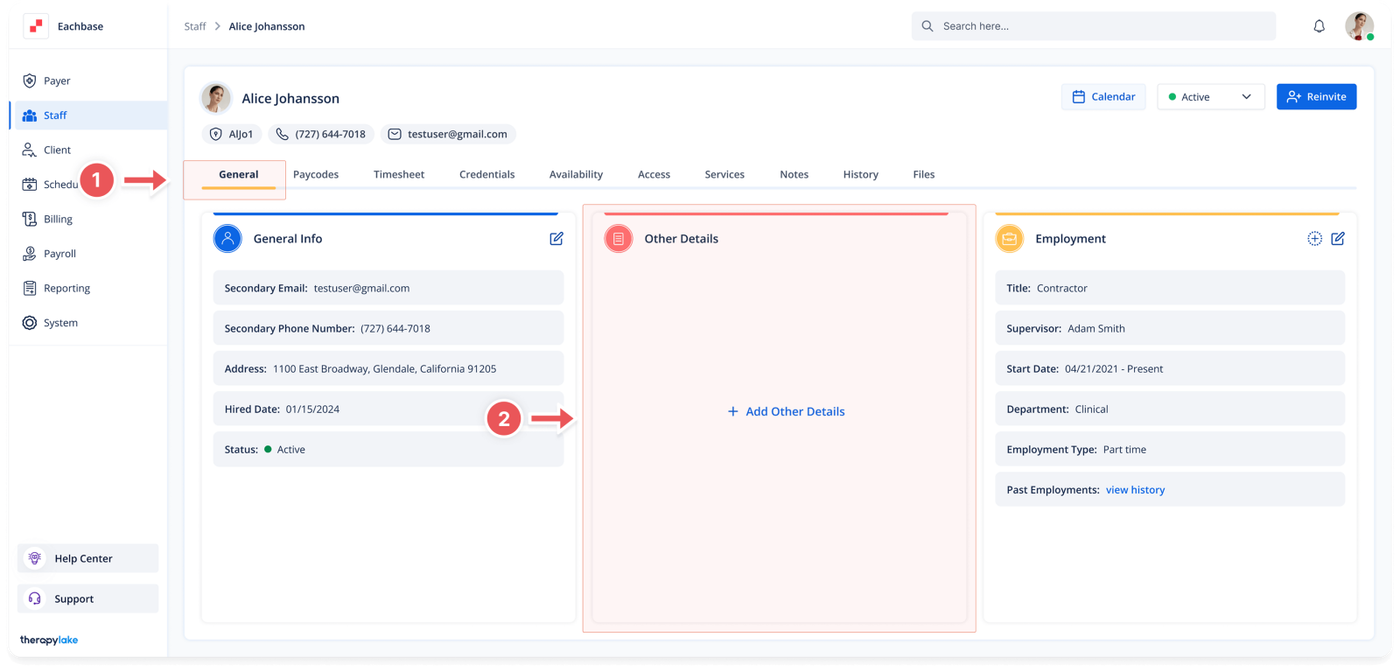
Choose the staff member for whom you would like to add or edit other information.
3. Ensure You Are on the General Tab
Make sure that you are on the General tab. If not, click on the General tab at the top of the page.
4. Add Other Details
Navigate to the box in the middle of the page labeled Other Details.
Click on the + Add Other Details button in the middle of the box.
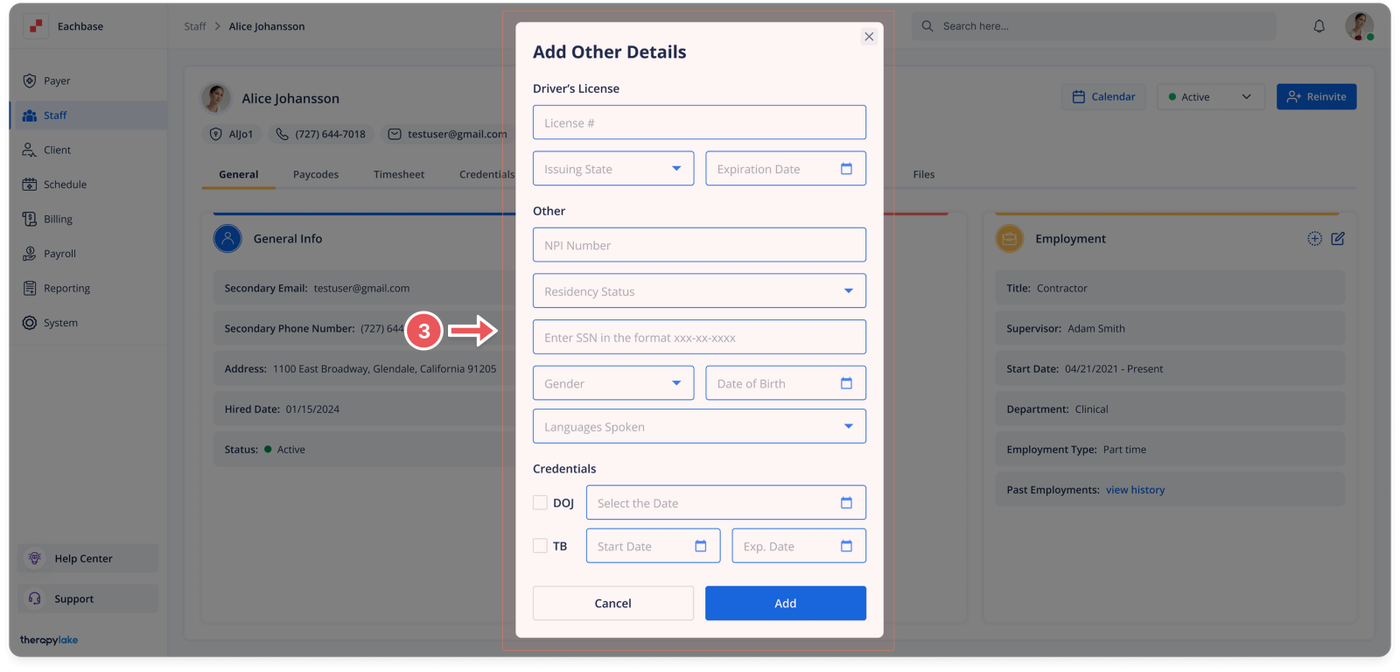
The Add Other Details pop-up window will appear.
5. Fill in Other Information Fields
Select or fill in the fields as needed:
Driver's License
License Name
Issuing State
Expiration Date
NPI Number: National Provider Identifier needed for claims and billing purposes.
Residency Status
SSN Number: Social Security Number.
Gender
Date of Birth
Languages Spoken
DOJ ( Department of Justice background check ): Select the checkbox and add the date. This date is needed to create appointments for this staff member.
TB (Tuberculosis Test): Select the checkbox and add the Start Date and Expiration Date. These dates are required to ensure the staff member meets health regulations for appointments.
6. Save Changes
Click the Save button on the bottom right of the pop-up window.
7. View Updated Information
The information will populate in the Other Details box in the middle of the page.