Assigning Staff to a Client
1. Access the Client Section
-
Go to the > Client section in the left panel.
2. Select the Client
-
Choose the client to whom you want to assign staff.
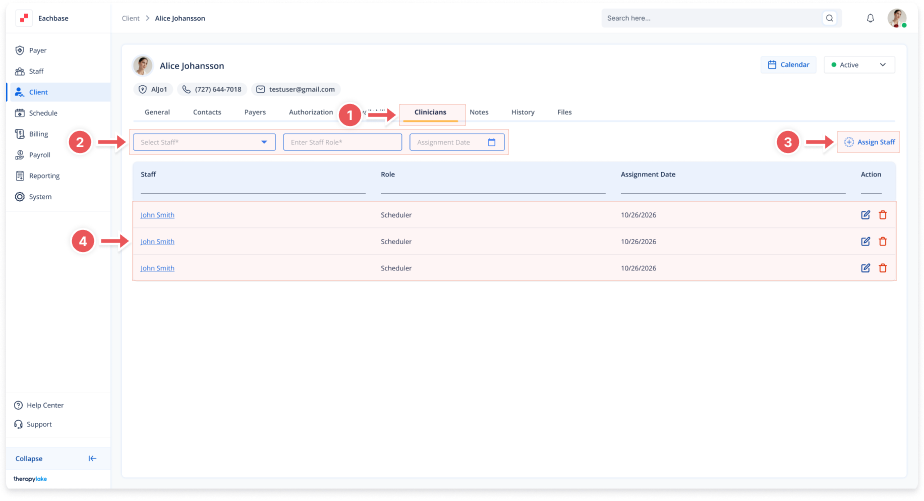
3. Navigate to the Clinicians Tab
-
Click on the Clinicians tab at the top of the client's page.
4. Select Staff Member and Role
-
Complete these fields:
-
Select Staff Member: Choose the staff member
-
Enter Staff Role: Type or select the role (e.g., Therapist, Supervisor)
-
Assignment Date: Enter date in MM/DD/YYYY format
-
5. Assign the Staff
-
Click the Assign Staff button.
6. View the Assigned Staff
-
The staff member will appear in the Assigned Staff table with their role.