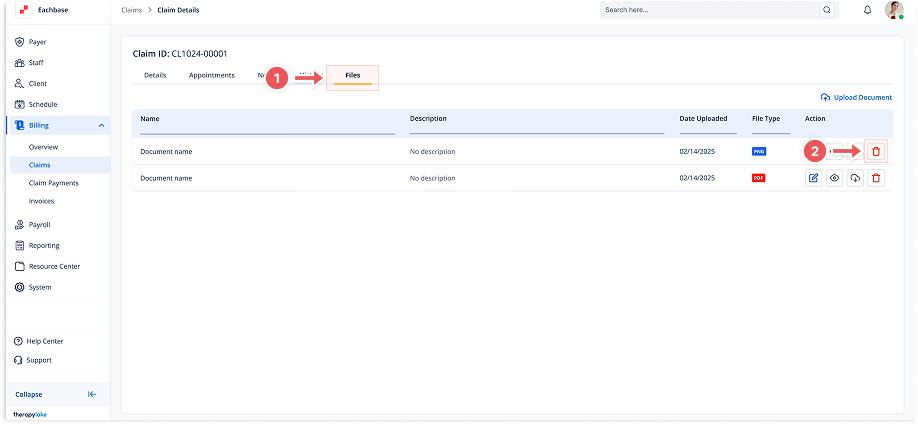
Deleting Pending Claim Files
1. Navigate to Pending Claims
-
Go to the left sidebar and click on Billing > Claims > Pending Claims.
2. Select the Pending Claim
-
Choose the claim for which you would like to delete files from the list of pending claims.
3. Click on the Files Tab
-
Once in the Claim Details screen, click the Files tab at the top of the page.
4. Delete the File
-
In the list of uploaded files, click the Delete (trash) icon next to the file you want to remove.
5. Confirm Deletion
-
A confirmation modal will appear asking if you're sure you want to delete the file. Click Delete to confirm.
6. View Updated Files
-
The file will be removed from the list under the Files tab.