Changing Password
1. Access Profile Settings
-
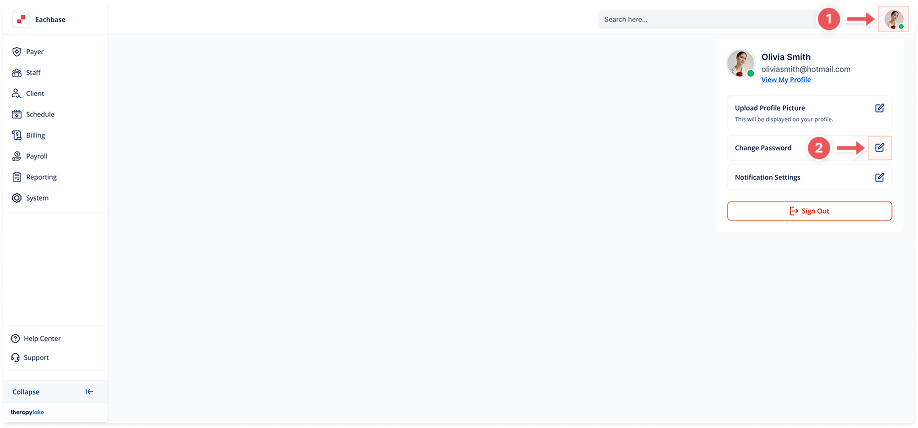
Click on the avatar icon in the top-right corner of the screen.
2. Open Change Password Modal
-
In the dropdown that appears, click on the "Change Password" button.
3. Fill in the Password Fields
-
Enter your current password in the Current Password field.
-
Enter your new password in the New Password field.
-
Retype the new password in the Retype New Password field to confirm.
4. Save the New Password
-
Click the Save button to change your password.
5. Completion
-
Your password will now be updated, and you can use the new password for future logins.