Editing Payer
1. Access the Payer Section
-
Go to the > Payer section in the left panel.
2. Select the Payer
-
Choose the Payer you would like to Edit.
3. Open the Edit Payer's General Info Modal
-
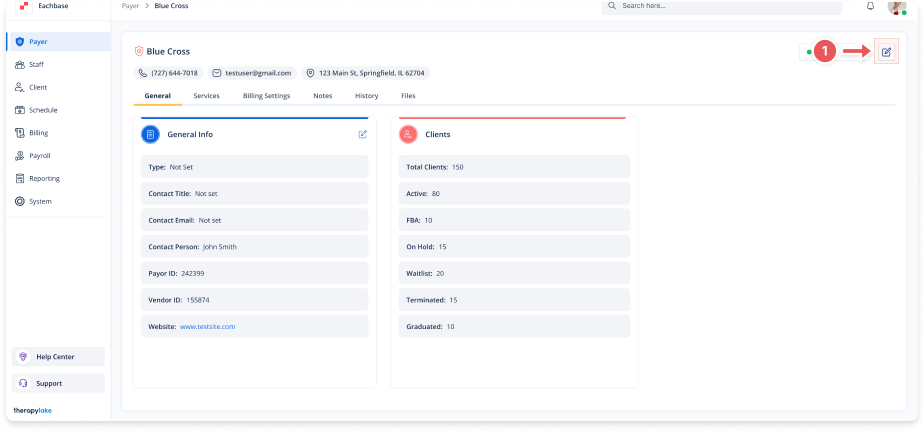
Click on the blue pencil icon at the top right of the screen.
4. Edit the Payer Details
-
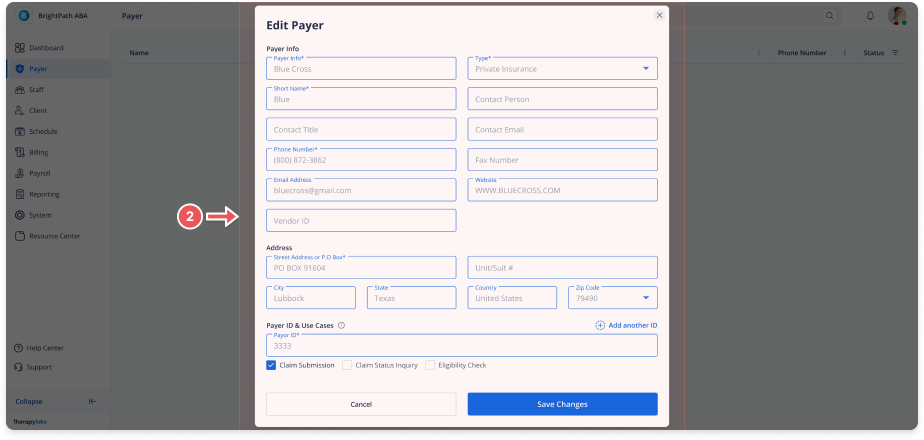
In the Edit Payer modal, make the necessary changes to the fields.
5. Save Changes
-
Click Save to apply the changes.