Deleting Files in Appointments
1. Navigate to Appointments
-
Navigate to the Schedule section on the left panel.
-
Click on the appointment containing the file you want to delete.
2. Switch to the Files Tab
-
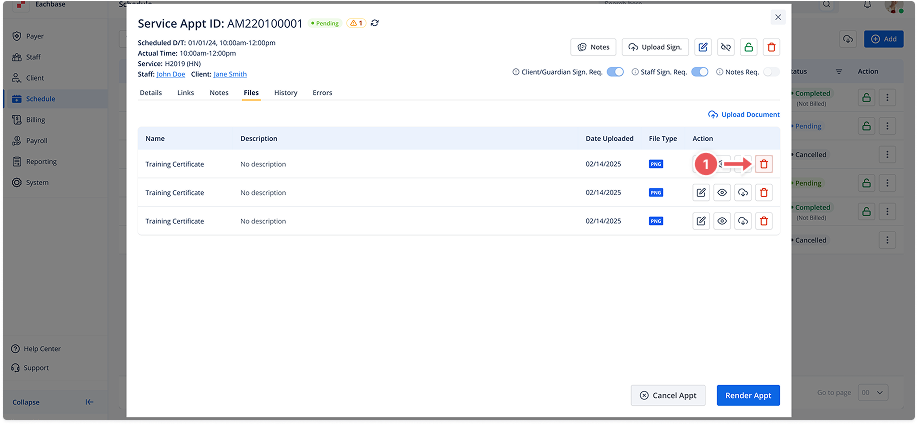
In the appointment details modal, go to the Files tab.
3. Click the Delete Icon
-
Next to the file you want to delete, click the trash bin/delete icon. A confirmation modal will appear.
4. Confirm Deletion
-
Type any necessary information (if required), and then click Delete to remove the file.