Viewing Staff Member’s Past Employment
1. Access the Staff Section
-
- Go to the > Staff section in the left panel.
2. Select the Staff Member
-
- Choose the staff member for whom you would like to view past employment information.
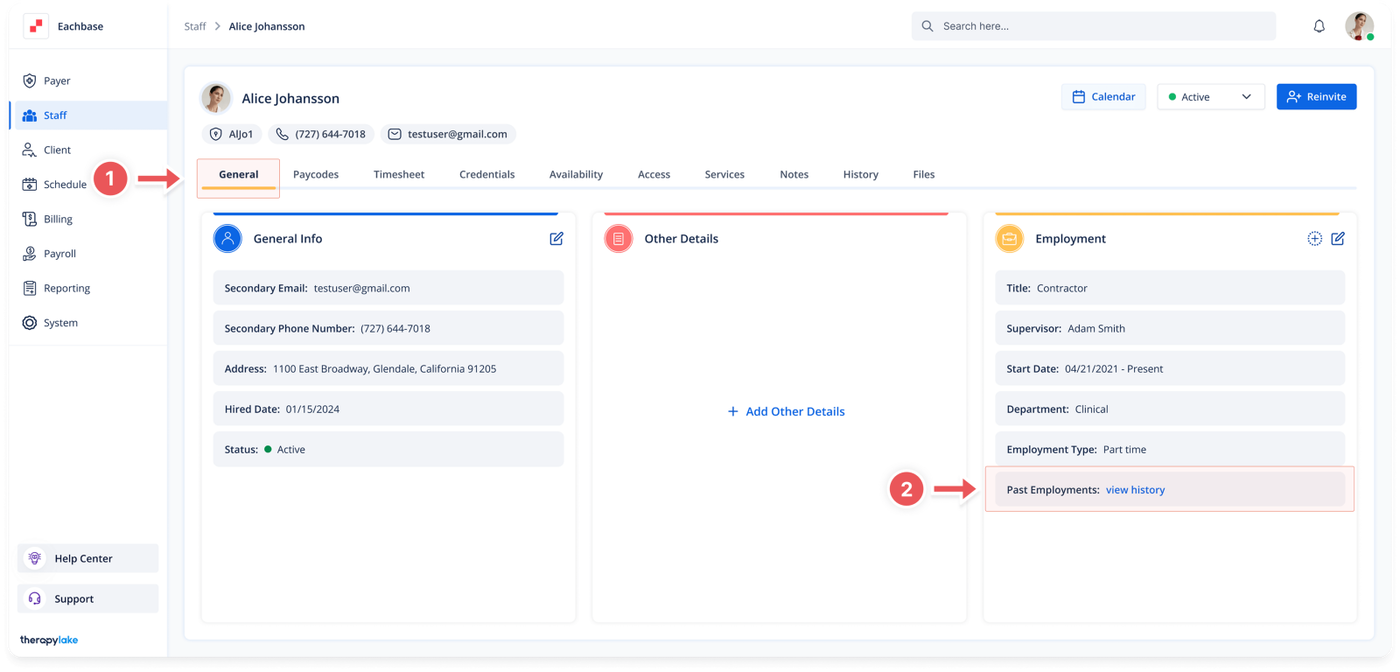
3. Ensure You Are on the General Tab
-
- Make sure that you are on the General tab. If not, click on the General tab at the top of the page.
4. View Past Employment Information
-
- Navigate to the rightmost box labeled Employment.
- Click the View History button next to the Past Employments field.
- If this button does not exist, it means that no past employments have been added for this staff member.
Was this article helpful?