Editing Pending Claim Files
1. Navigate to Pending Claims
-
Go to the left sidebar and click on Billing > Claims > Pending Claims.
2. Select the Pending Claim
-
Choose the claim for which you would like to edit files from the list of pending claims.
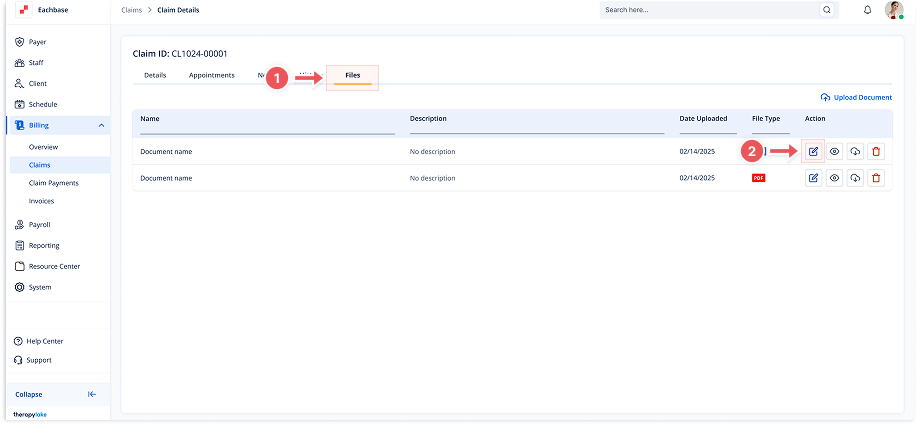
3. Click on the Files Tab
-
Once in the Claim Details screen, click the Files tab at the top of the page.
4. Edit the File
-
In the list of uploaded files, click the Edit (pencil) icon next to the file you want to modify.
-
The Edit Document modal will appear.
5. Modify File Details
-
Edit the Document Name or Description as needed.
-
You can also replace the file by clicking to upload or dragging and dropping a new file into the drag and drop box.
6. Save Changes
-
After making the necessary edits, click the Save button on the bottom right of the modal.
7. View Edited Files
-
The updated file will appear in the list under the Files tab.