Setting Client Availability
1. Access the Client Section
-
Go to the > Client section in the left panel.
2. Select the Client
-
Choose the client for whom you want to set availability.
3. Navigate to the Availability Tab
-
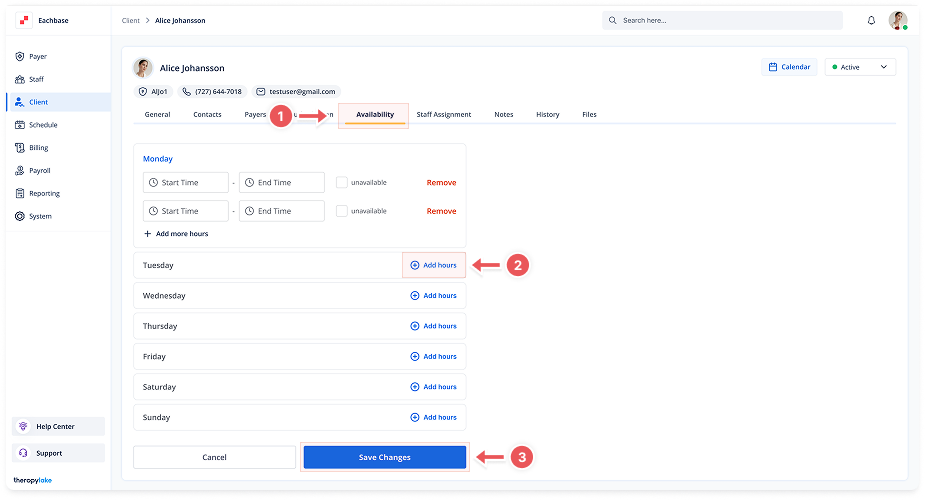
Click on the Availability tab at the top of the client's page.
4. Set Availability for Each Day
-
For each day (Monday to Saturday):
-
Click Add Hours or adjust existing hours
-
Enter start and end times (e.g., 08:00 - 18:00)
-
Mark as Unavailable if the client is unavailable that day
-
5. Add or Remove Hours
-
Use the + Add more hours button for additional time slots
-
Click Remove to delete unwanted time slots
6. Save Changes
-
Click Save Changes to update the client's availability
-
Use Cancel to discard unsaved changes