Viewing Change History in Appointments
1. Access the Appointment
- Navigate to the Schedule section on the left pane.
- Find and click on the appointment you want to view the history for.
2. Open the Appointment Details
- When you click on the appointment, its details modal will open.
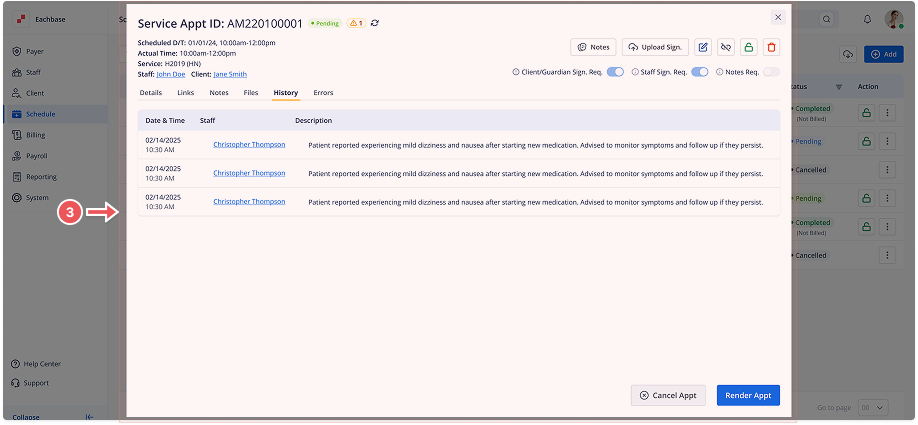
3. Switch to the History Tab
- In the appointment details modal, click on the History tab at the top.
- This tab will display a list of all changes made to the appointment, including the Date & Time of the changes, Staff Name, and Action Description.
4. Review the History
- If there is any history available, all actions (such as edits, status updates, and other changes) will be listed in this section.
- If no changes have been made, the tab will display a message saying, "No History Available."
Was this article helpful?


