Viewing Files in Appointments
1. Navigate to Appointments
-
Navigate to the Schedule section on the left panel.
-
Click on the appointment you want to view.
2. Switch to the Files Tab
-
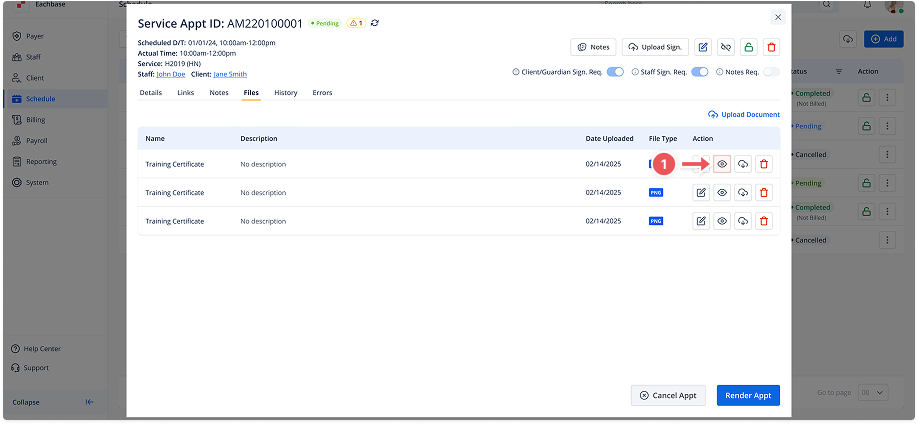
In the appointment details modal, go to the Files tab.
3. Click the View Icon
-
Next to the file you want to view, click the eye/view icon.
-
The file will open in a preview window or be shown in the appropriate viewer for the file type.