Creating Service Types
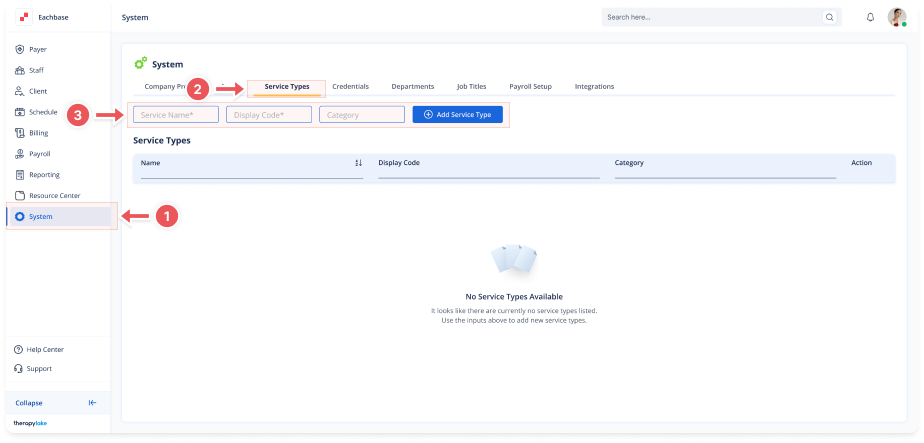
1. Navigate to System
-
Go to the left pane and click > System.
2. Navigate to the Service Types Tab
-
Click on the Service Types tab at the top of the page.
3. Add a New Service Type
-
Service Name: Enter the service name (e.g., "Parent Training", "Direct Service", "Functional Behavioral Analysis")
-
Display Code: Enter a code for the service (e.g., "PT", "DS", "FBA")
-
Category: Enter the service category (e.g., "ABA", "FBA")
4. Save the New Service Type
-
Click the blue + Add Service Type button.
-
The new service will appear in the table below.