Editing Job Titles
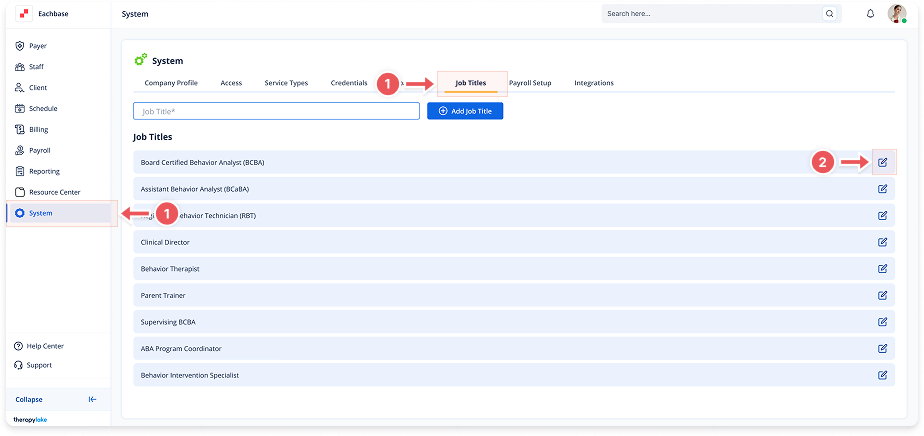
1. Navigate to System
-
Go to the left pane and click > System.
2. Access Job Titles Tab
-
Click on the > Job Titles tab at the top of the page.
3. Select Job Title to Edit
-
Locate the job title you want to modify in the list.
-
Click on the blue pencil icon next to the job title.
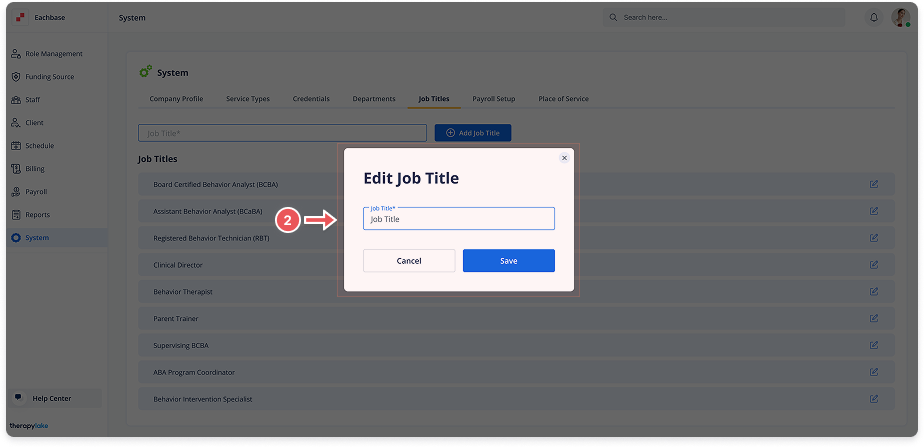
4. Update Job Title
-
Edit the text in the Job Title field.
5. Save Changes
-
Click Save to update the job title.