Viewing History for a Pending Claim
1. Navigate to Pending Claims
-
Go to the left sidebar and click on Billing > Claims > Pending Claims.
2. Select the Pending Claim
-
In the Pending Claims list, click on the specific claim for which you want to view the history.
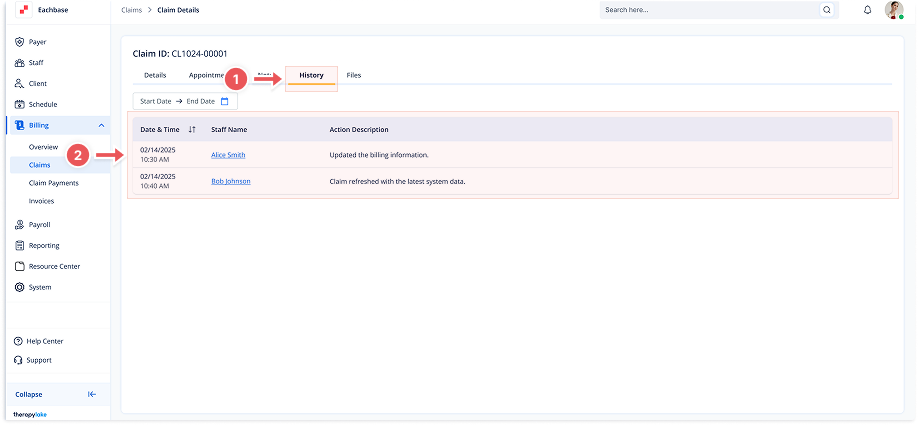
3. Click on the History Tab
-
Once in the Claim Details screen, click the History tab at the top of the page.
4. View the History
-
The history of actions and updates related to this claim will appear in the table. The columns will show the Date & Time, Staff Name, and Action Description of each action taken on the claim.