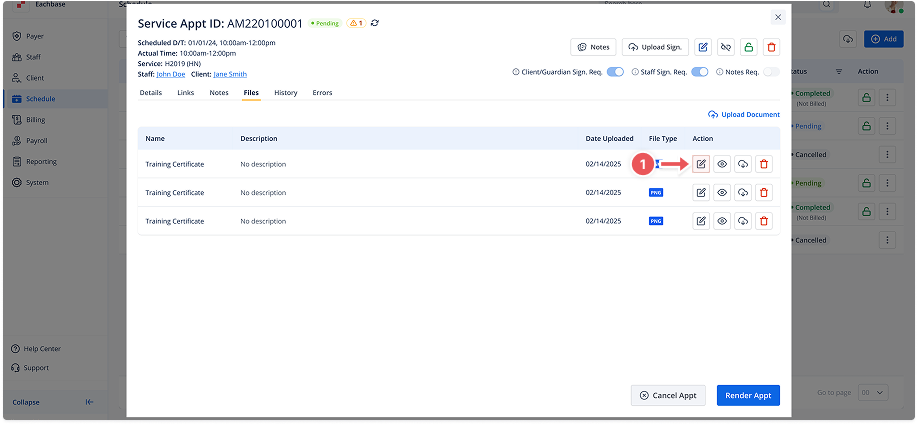
Editing Files in Appointments
1. Access the Appointment
-
Navigate to the Schedule section on the left panel.
-
Click on the appointment you want to edit.
2. Switch to the Files Tab
-
In the appointment details modal, go to the Files tab.
3. Click the Edit Icon
-
Next to the file you want to edit, click on the pencil/edit icon. A modal will pop up.
4. Modify the File Information
-
Update the Document Name or Description as needed.
5. Save Changes
-
Click the Save button to apply the updates.