

Un-rendering an Appointment
1. Navigate to Billable Appointments
-
Go to the left sidebar and click on Billing > Claims > Billable Appt.
2. Select the Appointment
-
In the Screen, find the appointment you want to un-render.
3. Open the Appointment Details
-
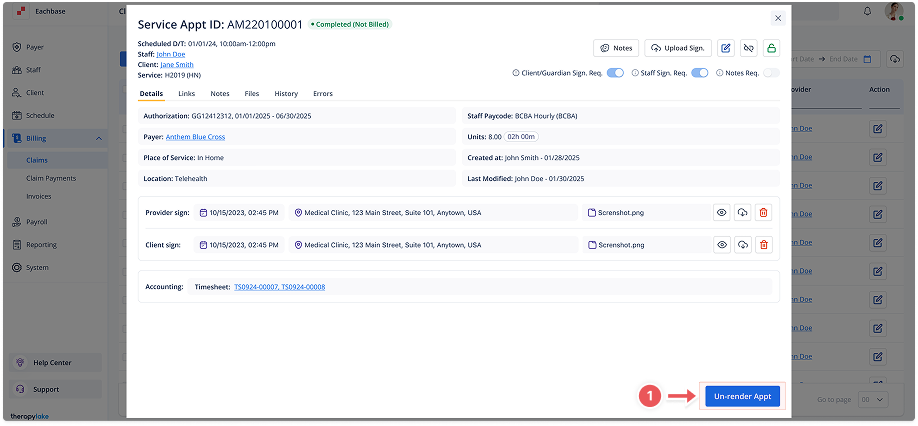
Click the appointment row to open its details in the modal.
4. Initiate Un-rendering
-
Click the Un-Render Appointment button at the bottom right of the modal.
5. Confirm Un-rendering
-
A modal titled Un-render Appointment will appear. Click Un-Render to confirm.
6. Impact on Timesheets and Claims
-
Active Timesheets: Any active timesheets linked to this appointment will be deleted.
-
Processed Timesheets: Processed timesheets will be flagged and require resolution.
-
Processed Claims: Claims associated with the appointment will be flagged and require attention.
7. Resolve Flags
-
After un-rendering, go to the relevant sections such as Payroll or Billing to resolve any flagged timesheets or claims.