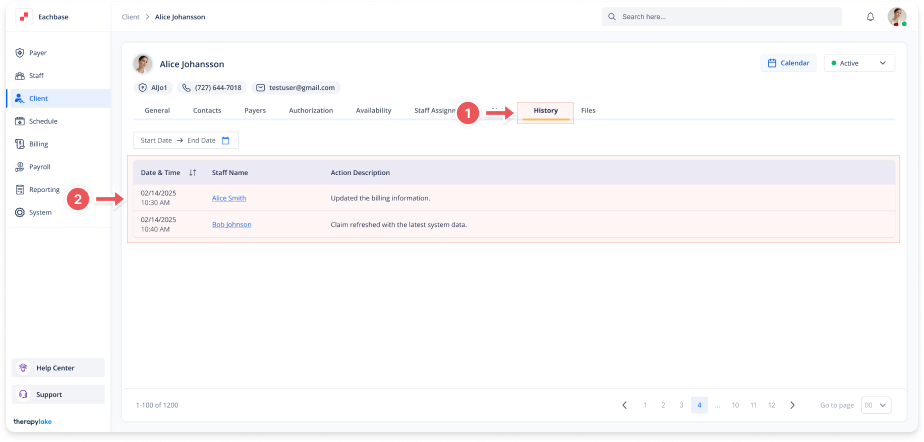
Viewing Client Profile's Change History
1. Access the Client Section
-
Go to the > Client section in the left panel.
2. Select the Client
-
Choose the client whose profile change history you want to view.
3. Navigate to the History Tab
-
Click on the History tab at the top of the client's page.
4. View Change History
-
Review the list of changes made to the client's profile, including edits to information, added or removed notes, and other modifications.