

Deleting Assigned Staff from a Client
1. Access the Client Section
-
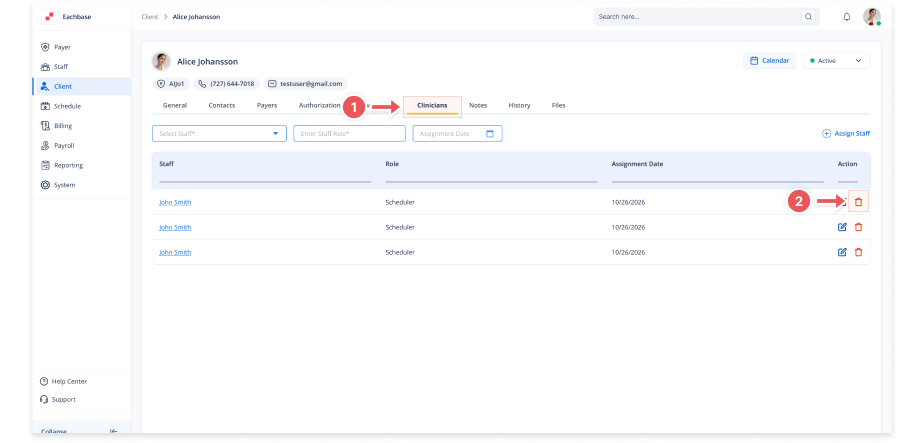
Go to the > Client section in the left panel.
2. Select the Client
-
Choose the client from whom you want to delete an assigned staff member.
3. Navigate to the Staff Assignment Tab
-
Click on the Staff Assignment tab at the top of the client's page.
4. Locate the Assigned Staff Member
-
In the Assigned Staff table, find the staff member you want to delete.
5. Delete the Assigned Staff
-
Click on the red X button next to the assigned staff member under the Action column.
6. Confirm Unassignment
-
In the confirmation modal:
-
Click Unassign to confirm removal
-
7. View Updated Staff Assignment
-
The staff member will be removed from the Assigned Staff table.