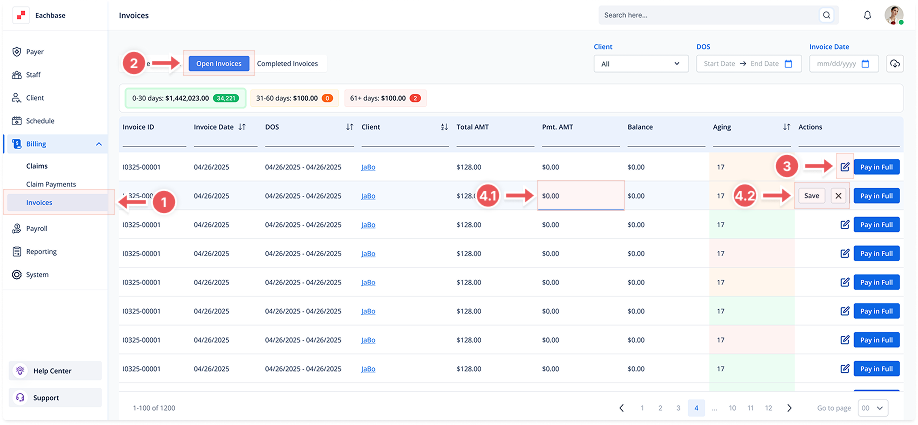
Editing an Invoice
1. Navigate to the Invoices Section
-
Go to the Billing section in the left pane and click on Invoices.
2. Click on the Open Invoices Tab
-
At the top of the page, click the Open Invoices tab to view the list of Open Invoices.
3. Locate the Invoice
-
Find the invoice you want to edit from the list and click the blue pencil icon under the Actions column.
4. Edit Payment Amount
-
In the Pmt. AMT field, update the payment amount.
-
To mark the invoice as fully paid, set the Pmt. AMT to match the Total AMT and click Save.
-
If you received a partial payment, enter the partial amount in the Pmt. AMT field and click Save.
5. Invoice Status
-
If the Pmt. AMT equals the Total AMT, the invoice will automatically be marked as Paid.
-
If a partial payment is entered, the invoice will remain Open until fully paid or manually closed.