Editing a Claim in Completed Claims
1. Navigate to Completed Claims
-
Go to the left sidebar and click on Billing > Completed Claims.
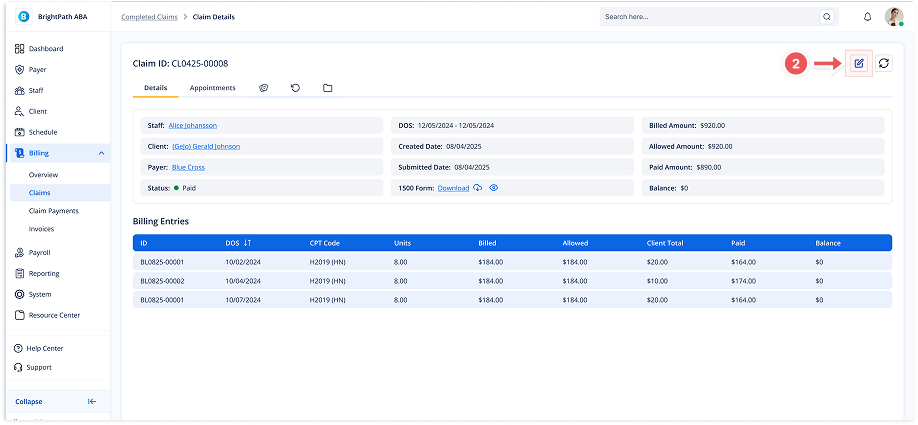
2. Open Edit Modal
-
Click the Edit icon (pencil) in the Claim Details page.
-
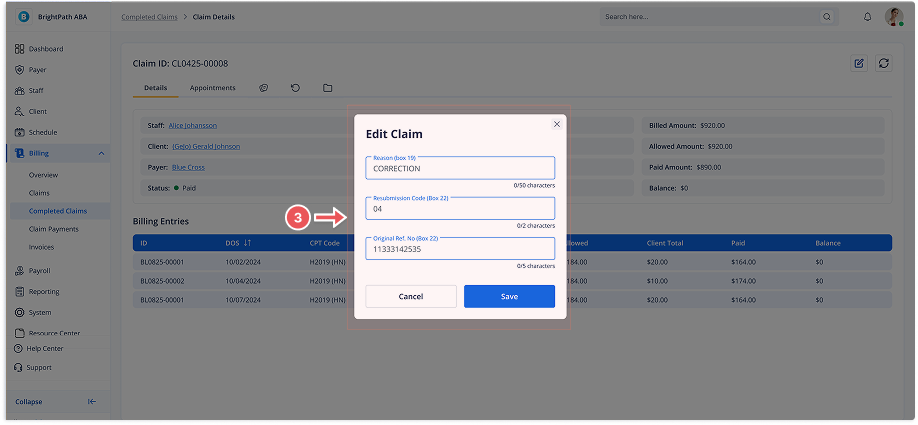
The Edit Claim modal will open with fields for:
-
Reason (Box 19)
-
Resubmission Code (Box 22)
-
Original Reference Number (Box 22)
-
3. Save Changes
-
After entering details, click Save.
-
A confirmation message will appear.