Editing Notes in a Pending Claim
1. Navigate to Pending Claims
-
Go to the left sidebar and click on Billing > Claims > Pending Claims.
2. Select the Pending Claim
-
In the Pending Claims list, click on the specific claim where you want to edit a note.
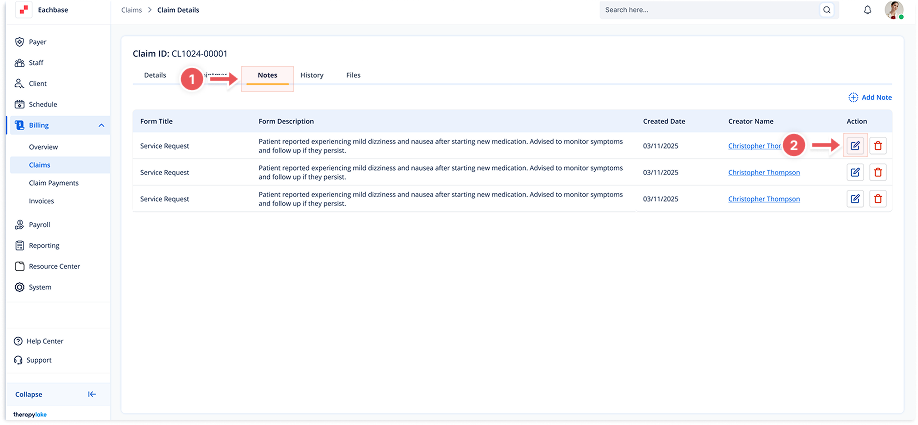
3. Click on the Notes Tab
-
Once in the Claim Details screen, click the Notes tab at the top of the page.
4. Find the Note to Edit
-
Locate the note you want to edit in the list of notes.
5. Click the Edit Icon
-
In the Action column next to the note, click the pencil/edit icon.
6. Modify the Note
-
In the modal that pops up, you can edit the Subject and Body of the note.
7. Save the Changes
-
After making the necessary updates, click Save. Your changes will now be reflected in the note list.