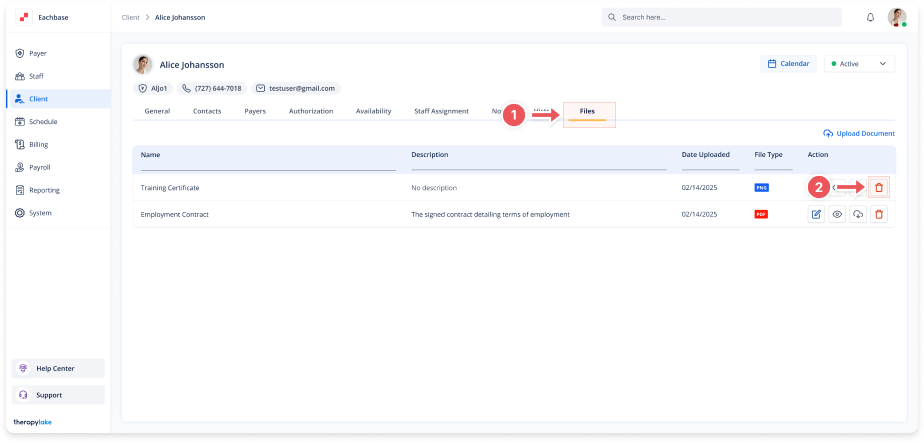
Deleting Client Files
1. Access the Client Section
-
Go to the > Client section in the left pane.
2. Select the Client
-
Choose the client whose file you want to edit.
3. Navigate to the Files Tab
-
Click on the Files tab at the top of the client's page.
4. Delete a File
-
Locate the file you want to delete and click on the trash can icon next to it.
5. Confirm Deletion
-
A confirmation modal will appear. Click Delete to confirm the removal of the file.