Editing a Company Profile
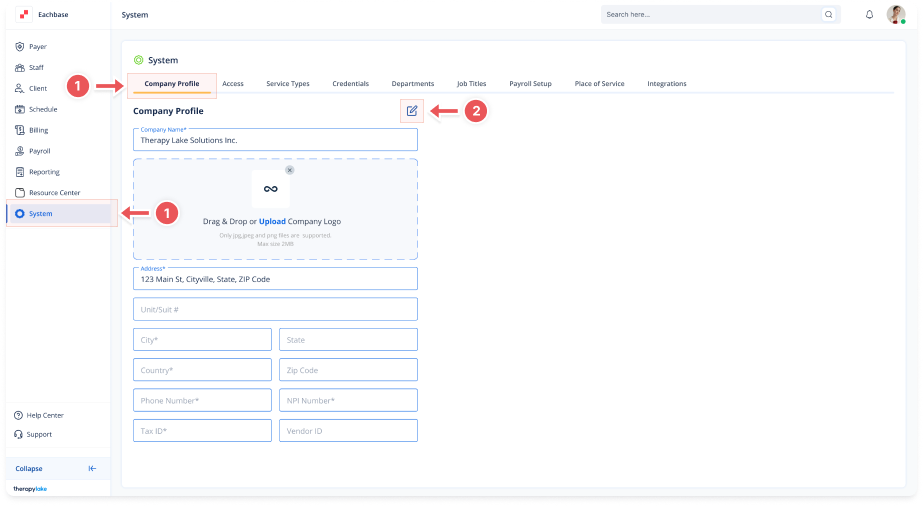
1. Access the Company Profile Tab
-
Go to the System section in the left pane.
-
Click on the > Company Profile tab.
2. Edit Company Profile
-
Click the blue pencil icon located to the right of the > Company Profile title, above the Company Name field.
3. Update Company Information
-
Make any necessary changes to the fields:
-
Company name
-
Address
-
Phone number
-
NPI number
-
Tax ID
-
Vendor ID
-
Company logo (upload a new file)
-
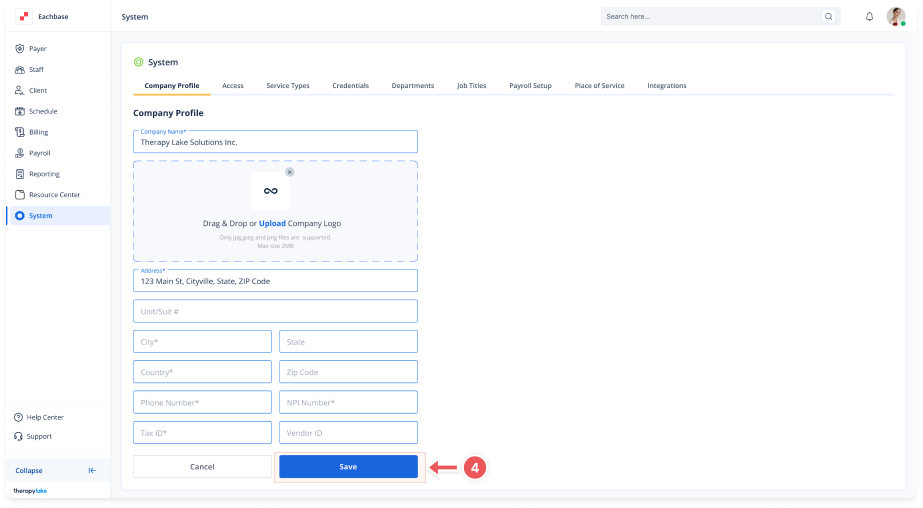
4. Save Changes
-
After making the desired changes, scroll down and click Save to apply the updates.