Deleting a Form
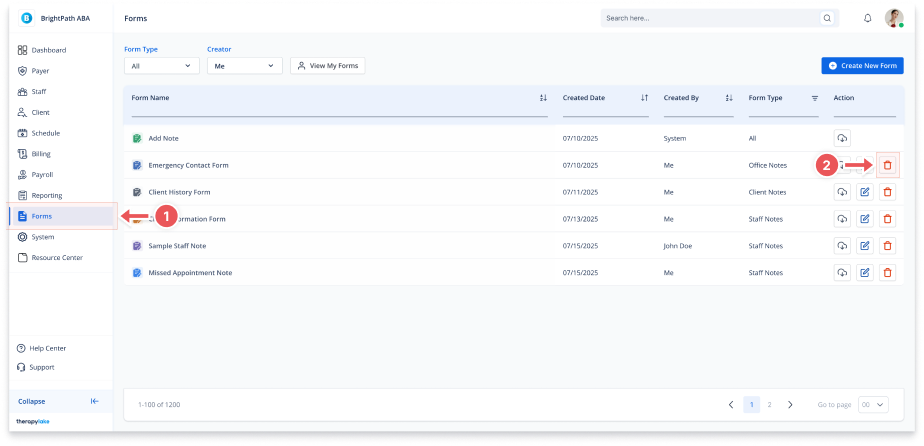
1. Navigate to Forms
-
Go to the left-hand navigation panel and click Forms.
2. Click the Delete Icon
-
In the Actions column of the form you want to delete, click the trash can icon.
3. Confirm Deletion
-
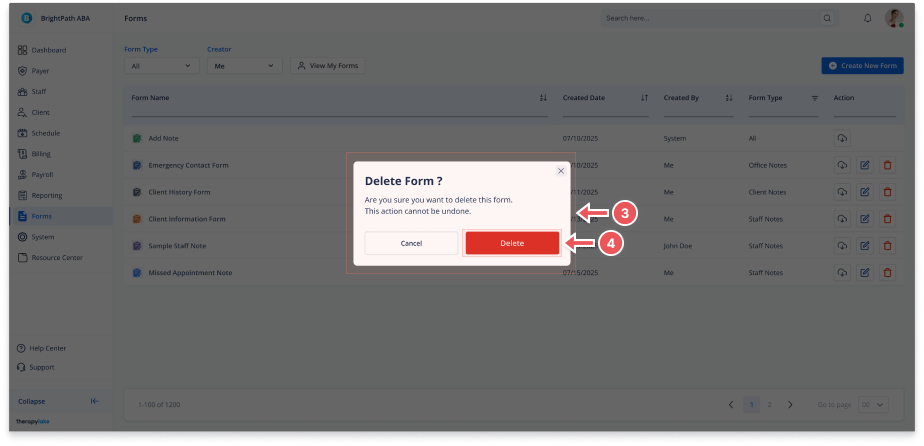
A confirmation modal will appear
-
Click Delete to permanently remove the form
-
Click Cancel to go back without deleting