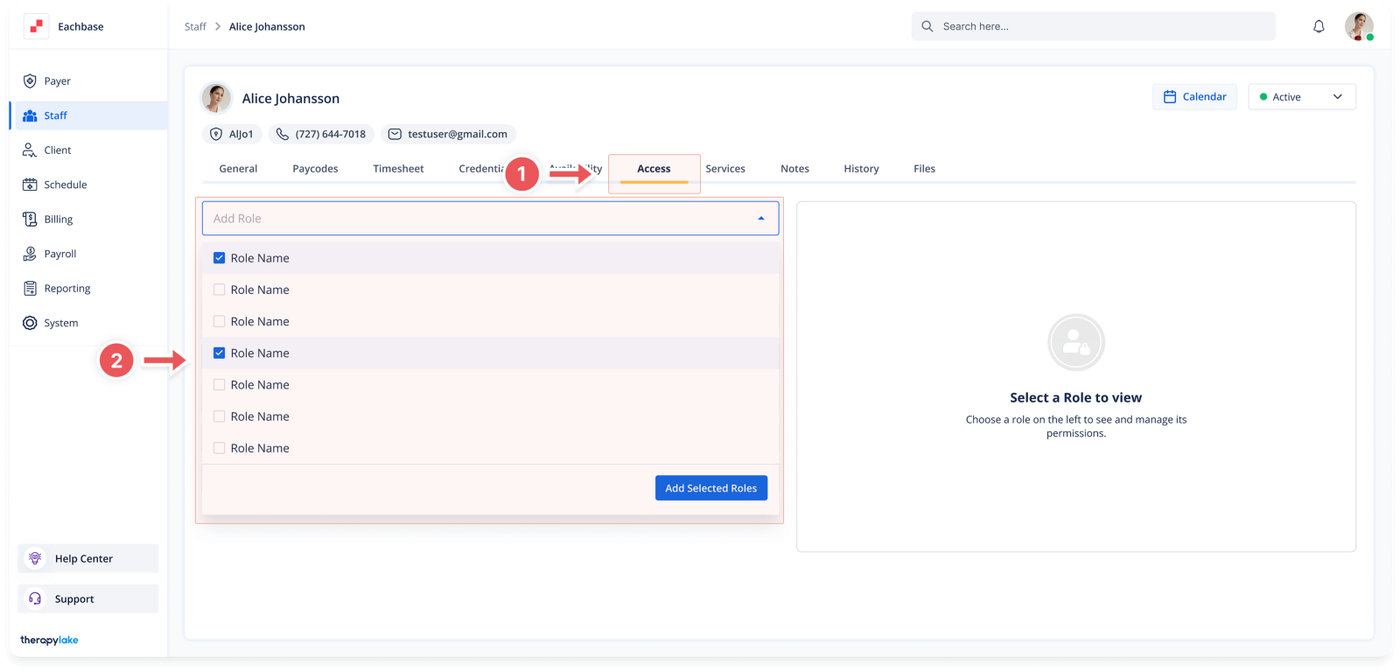
Choose the staff member for whom you would like to add access roles.
3. Navigate to the Access Tab
Click on the Access tab at the top of the page.
4. Add a Role
Click on the Add Role field.
Begin typing or select a role from the dropdown list that appears.
You can add multiple roles by clicking into the Add Role field and selecting additional roles.
5. Understanding Roles
These roles are predefined by your organization’s administrators. If you don’t see any roles, it means that roles have not been added by your organization yet.
6. View Assigned Roles
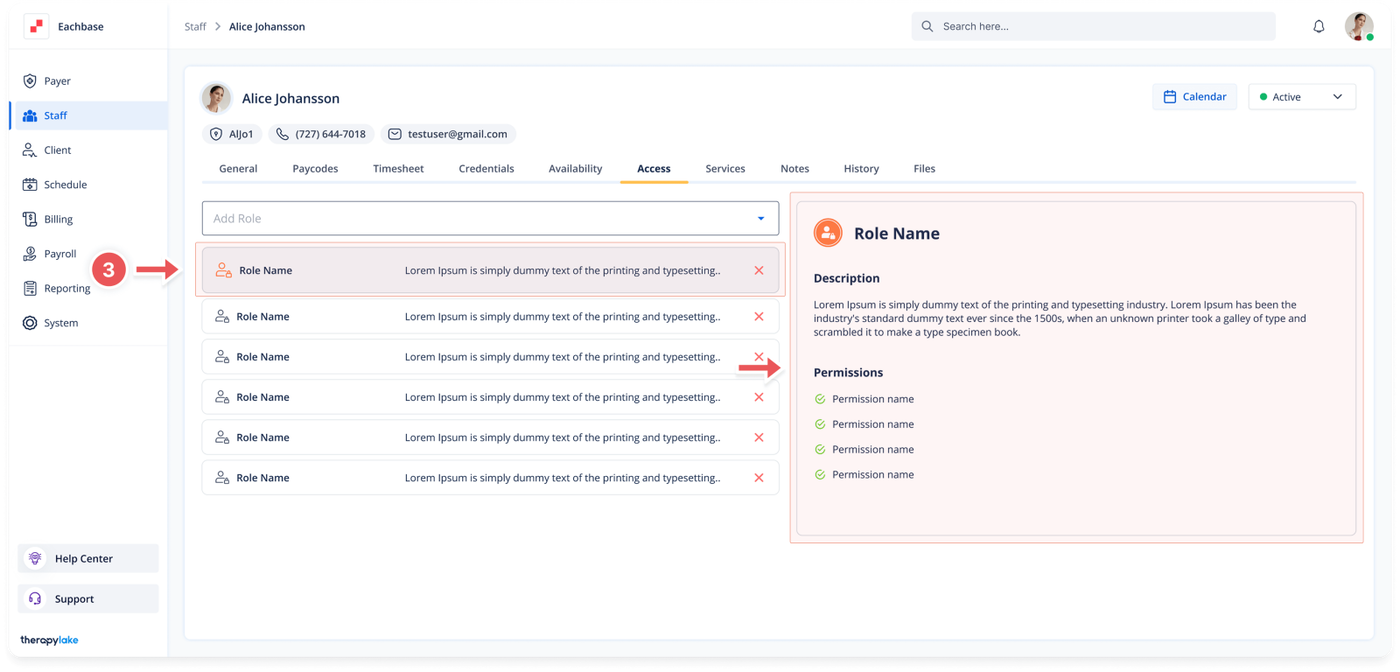
The newly selected roles will appear in the left table.
7. View Role Permissions
You can select any role in the left table to view its associated permissions, which will be displayed in the right table.