Managing Bank Accounts
The Bank tab in the System settings allows you to add, edit, delete, and set default bank accounts.
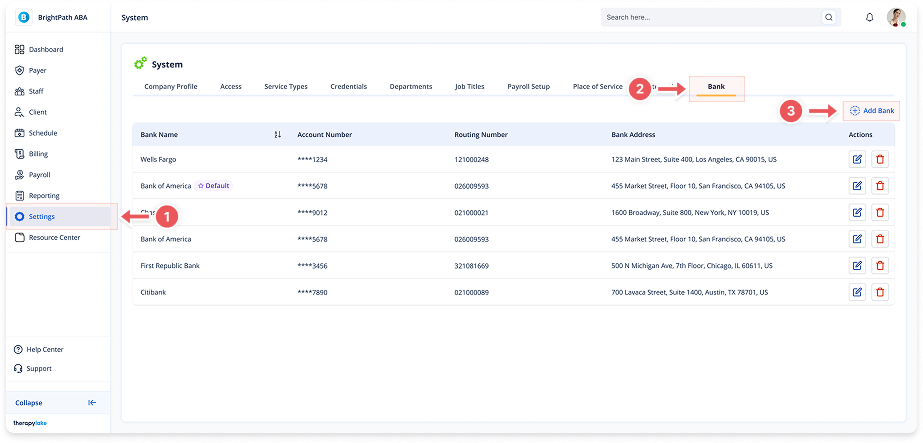
1. Navigate to System
-
Go to the left pane and click System.
2. Navigate to the Bank Tab
-
Click on the Bank tab at the top of the page.
3. Adding a Bank Account
-
Click Add Bank in the top-right corner of the table.
-
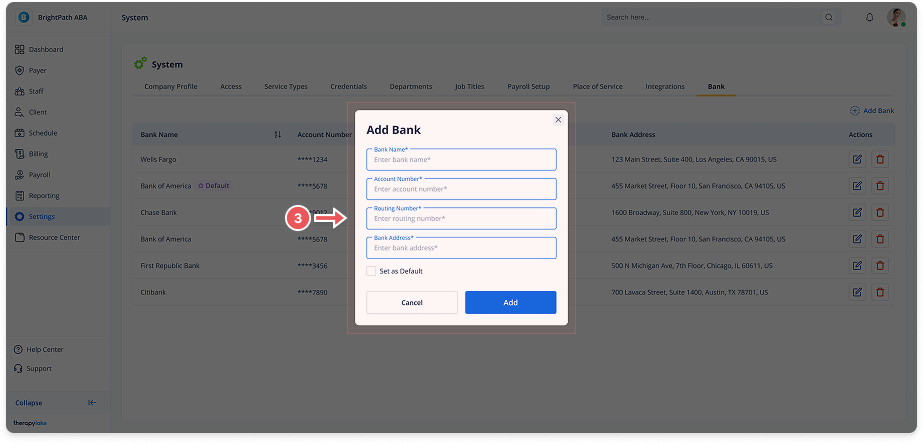
Fill in the required fields:
-
Bank Name
-
Account Number
-
Routing Number
-
Bank Address
-
-
(Optional) Check Set as Default to make this account the primary one used for transactions.
-
Click Add.
4. Editing a Bank Account
-
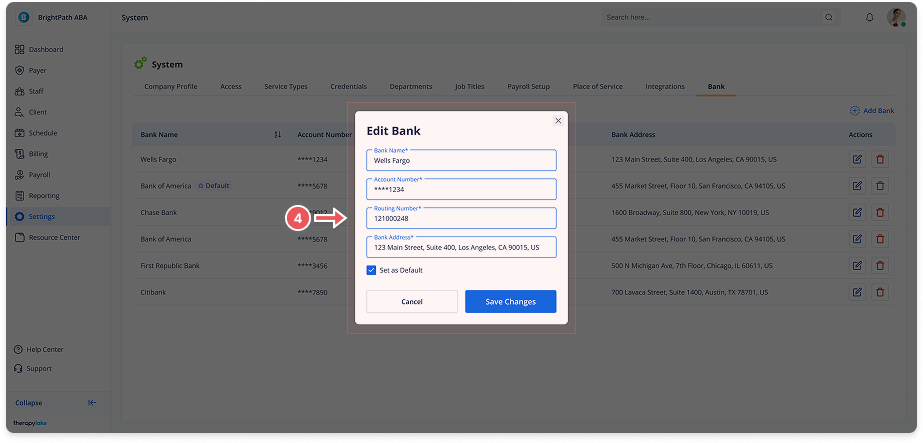
Click the Edit icon next to the account you want to modify.
-
Update any of the fields:
-
Bank Name
-
Account Number
-
Routing Number
-
Bank Address
-
-
(Optional) Change the Set as Default status.
-
Click Save Changes.
5. Deleting a Bank Account
-
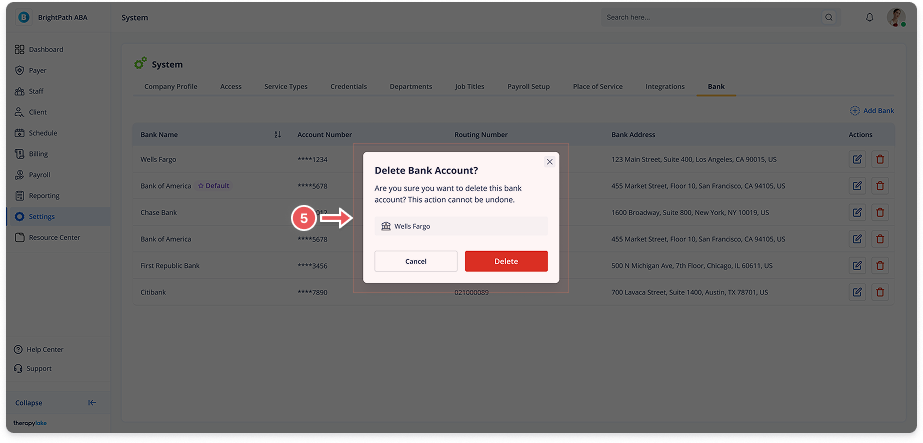
Click the Delete icon next to the account you want to remove.
-
Confirm the deletion in the modal.
-
Click Delete.