

Inactivating a Payer
1. Access the Client Section
-
Go to the > Client section in the left panel.
2. Select the Client
-
Choose the client whose payer you want to inactivate.
3. Navigate to the Payers Tab
-
Click on the Payers tab at the top of the client's page.
4. Locate the Payer to Inactivate
-
Under the Payers section, find the payer you want to inactivate.
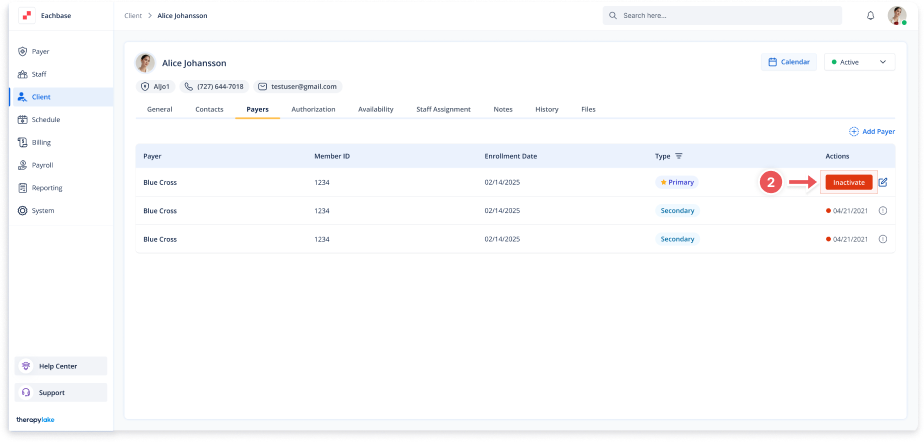
5. Inactivate the Payer
-
Click the inactivate button in the Action column next to the Payer
6. Confirm Inactivation
-
In the confirmation modal, click inactivate to proceed or Cancel to abort.
7. Review Inactivated Payer
-
The payer will now be marked as inactive.