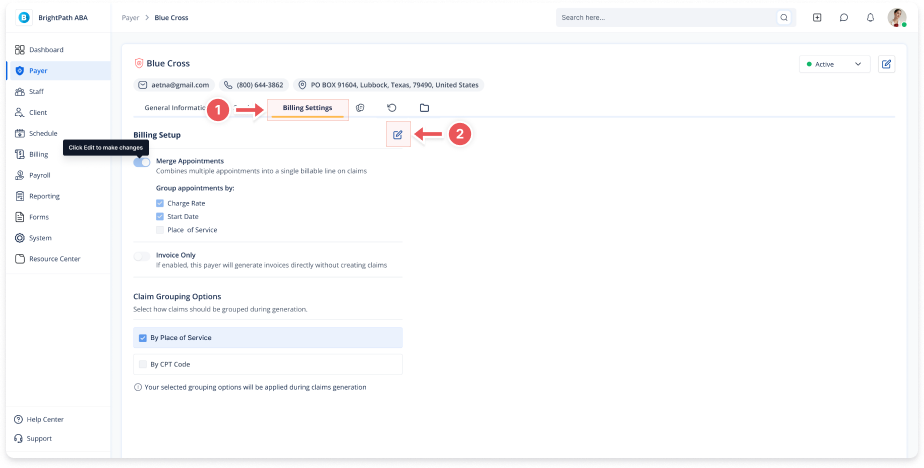
Billing Setup and Claim Grouping
1. Access the Payer Section
Go to the Payer section in the left panel.
2. Select the Payer
Click on the Payer for which you want to edit a service.
3. Navigate to the Billing Settings Tab
Click on the Billing Settings tab at the top of the page.
4. Enable Merge Appointments
Check the Merge Appointments option to combine multiple appointments into a single billable line on claims.
Invoice Only: If enabled, this funding source will generate invoices directly without creating claims.
5. Select Claim Grouping Options
Choose how claims should be grouped during generation:
Check By Place of Service to group claims by the location where services were provided.
Check By CPT Code to group claims by the specific procedure codes.
6. Apply Grouping Options
Your selected grouping options will be applied during claims generation.
🔔 Important Note
Ensure that your selected options align with your billing preferences to avoid discrepancies in claims.