Adding Covered Credentials
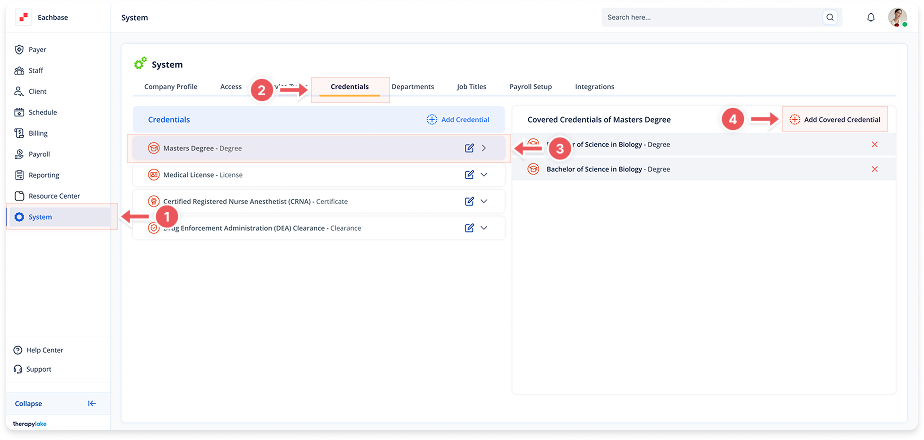
1. Navigate to System
-
Go to the left pane and click > System.
2. Navigate to Credentials Tab
-
Click on the Credentials tab at the top of the page.
3. Select the Credential
-
In the left table labeled Credentials, find and click on the credential you want to modify.
4. Add Covered Credentials
-
Click on the + Add Covered Credentials button in the right table.
5. Select Covered Credentials
-
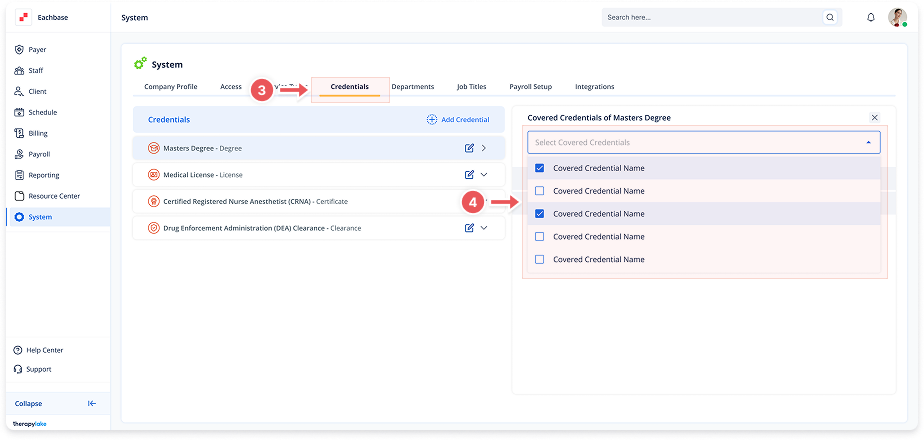
Click into the Select Covered Credential field.
-
Choose from existing credentials (e.g., "Bachelor's Degree", "High School Diploma").
-
The selected credentials will appear in the right table.