Viewing Notes on Appointments
1. Access the Appointment
-
Navigate to the Schedule section on the left panel.
-
Find the appointment for which you want to view notes and click on it to open the appointment details modal.
2. Switch to the Notes Tab
-
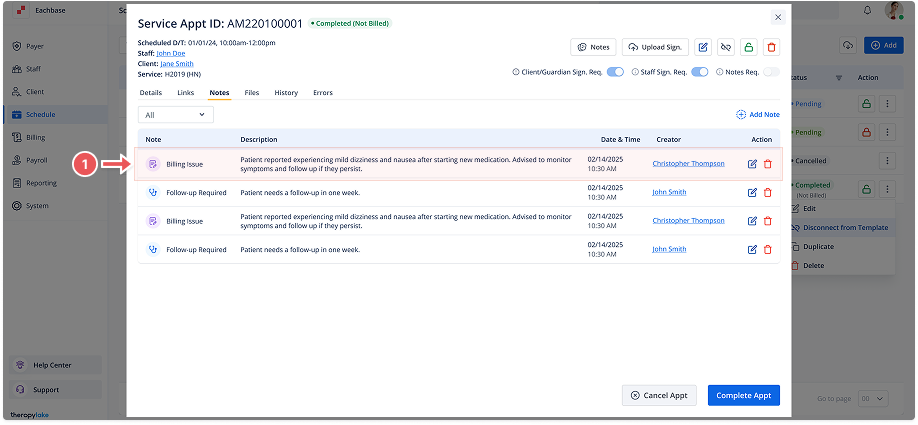
In the appointment details modal, click on the Notes tab. This will display any notes associated with the selected appointment.
3. View Existing Notes
-
On the Notes tab, you will see a list of all notes related to the appointment.