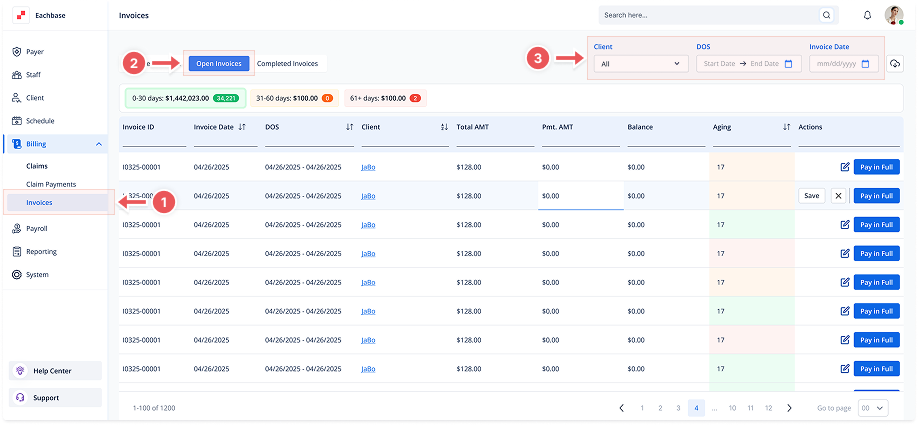
Viewing Open Invoices
1. Navigate to the Invoices Section
-
Go to the Billing section in the left pane and click on Invoices.
2. Click on the Open Invoices Tab
-
At the top of the page, click the Open Invoices tab to view the list of Open Invoices.
3. View the Invoice List
-
Invoices will be listed with details such as Invoice ID, Invoice Date, Client, Total Amount, Payment Amount, Balance, and Status (Open, Paid, etc.).
4. Filter Invoices (Optional)
-
Use the filters at the top of the page to sort by Client, Date of Service (DOS), or Invoice Date. These filters will help you narrow down the list of invoices to find specific ones.