Activating or Inactivating Payer Service
1. Access the Payer Section
-
- Go to the > Payer section in the left panel.
2. Select the Payer
-
- Click on the Payer for which you want to activate/inactivate a service.
3. Navigate to the Services Tab
-
- Click on the Services tab at the top of the page.
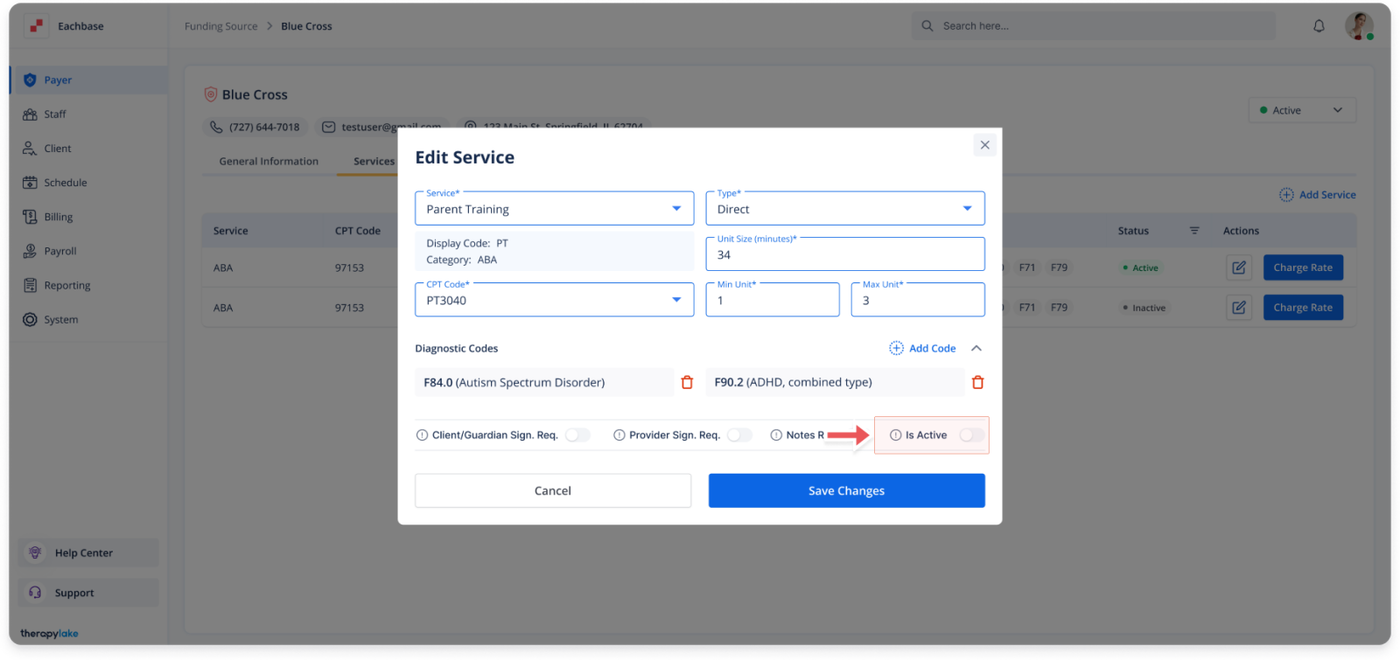
4. Open the Edit Service Pop-up window
-
- Click on the blue pencil icon next to the service you want to activate/inactivate.
5. Toggle Service Status Off
-
- In the Edit Service pop-up window, toggle the Is Active switch to activate or inactivate Service.
6. Save Changes
-
- Click Save at the bottom of the pop-up window to apply the changes.
Was this article helpful?