Viewing Files in Invoices
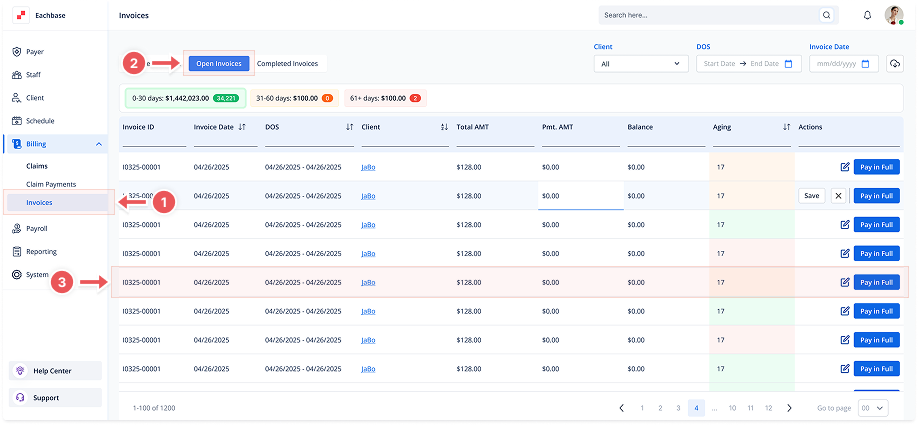
1. Navigate to the Invoices Section
-
Go to the Billing section in the left pane and click on Invoices.
2. Click on the Open Invoices Tab
-
At the top of the page, click the Open Invoices tab to view the list of Open Invoices.
3. Open the Invoice Details
-
Click anywhere on the invoice line to open its details.
4. Go to the Files Tab
-
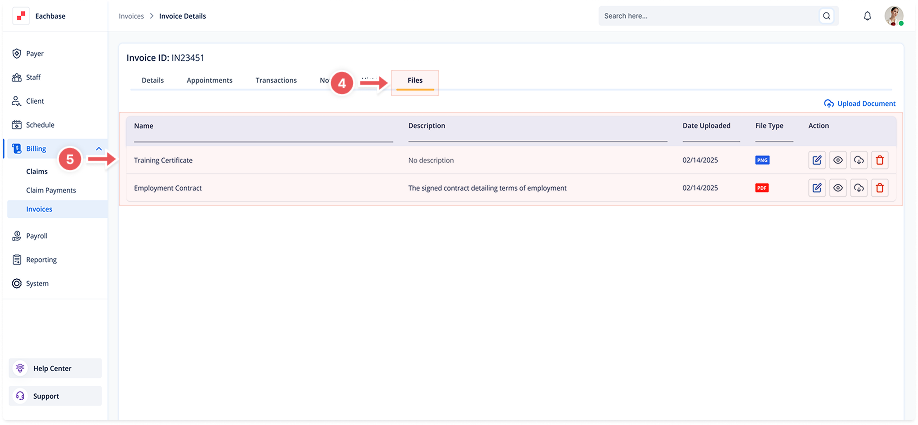
Once inside the invoice details, select the Files tab.
5. View Files
-
You will see the list of uploaded files for that invoice, including:
-
Document Name
-
Description
-
Date Uploaded
-
File Type
-