Adding Clients
1. Access the Client Section
-
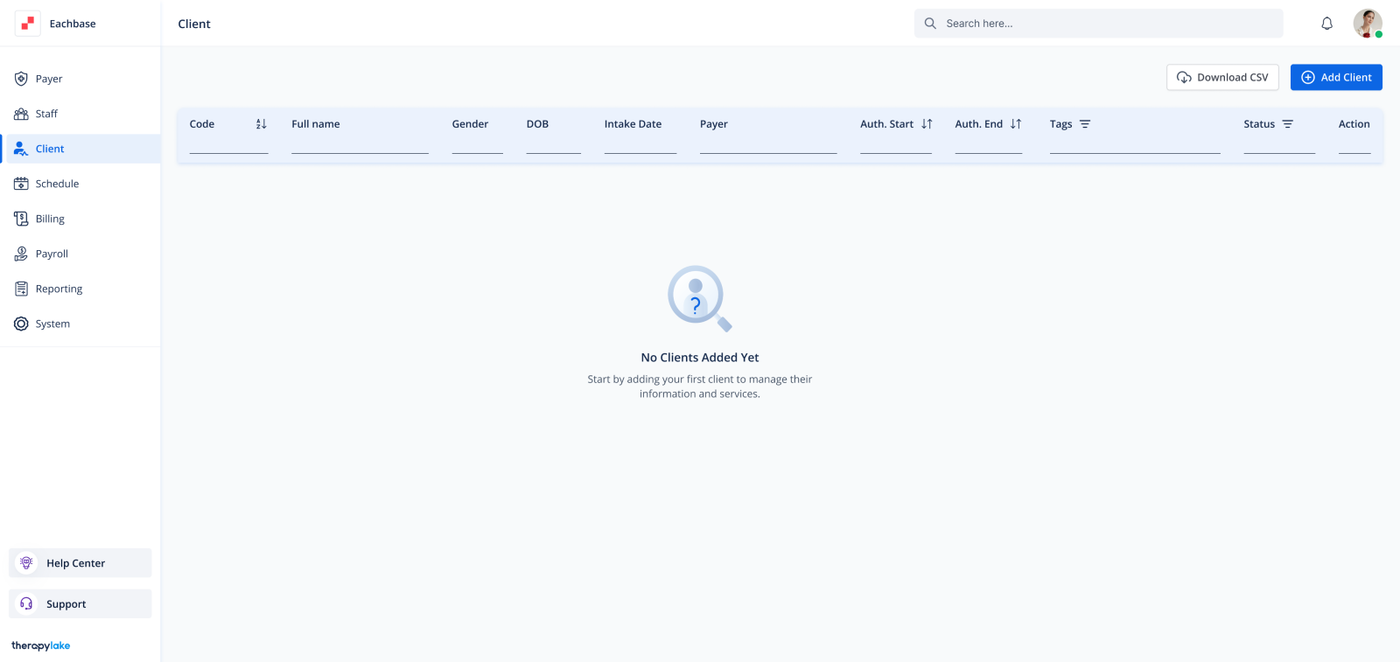
Go to the > Client section in the left panel.
2. Add a New Client
-
Click on the + Add Client button.
3. Fill in the Basic Information
-
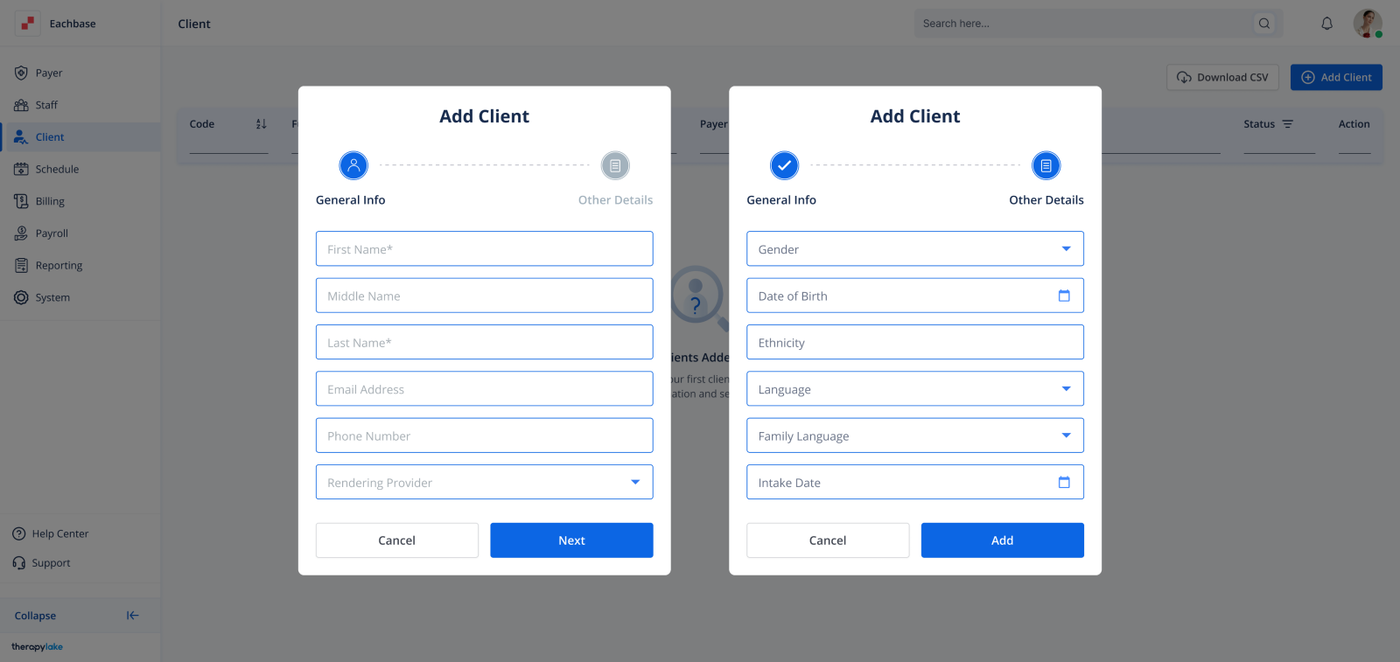
Complete the following fields:
First Name
Last Name
Email Address
Phone Number
Rendering Provider: Choose the staff member who will be the rendering provider for the client.
4. Proceed to Fill Out Other Details
-
Click Next to move to the next section and fill out additional details.
5. Fill in Other Details
-
Complete the following fields:
Gender
Date of Birth
Ethnicity
Language
Family Language
Intake Date
6. Add the Client
-
Click the Add button to save the client.