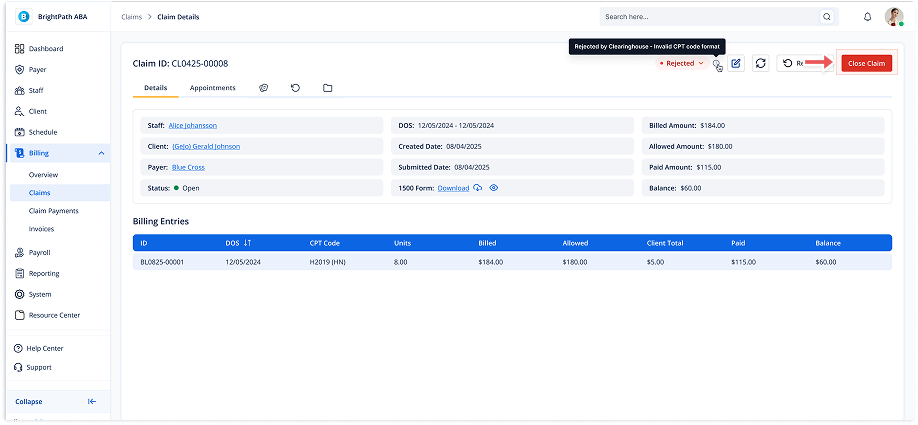
Closing a Submitted Claim (if Claim status is paid we cant close claim)
1. Navigate to Submitted Claims
-
Go to the left sidebar and click on Billing > Claims > Submitted Claims.
2. Select a Claim
-
Click on the desired claim from the list to open its details.
3. Initiate the Close Process
-
In the top right of the Claim Details page, click the red Close Claim button.
4. Enter the Closing Reason
-
A modal titled Close this claim? will appear.
-
Add a reason for closing the claim in the text box.
5. Confirm Claim Closure
-
Once you’ve entered the reason, click the Close button to confirm.
-
The claim will now be marked as Closed in the system.