Managing Integrations
Configure third-party integrations from the Integrations tab in System settings.
Connecting to Office Ally
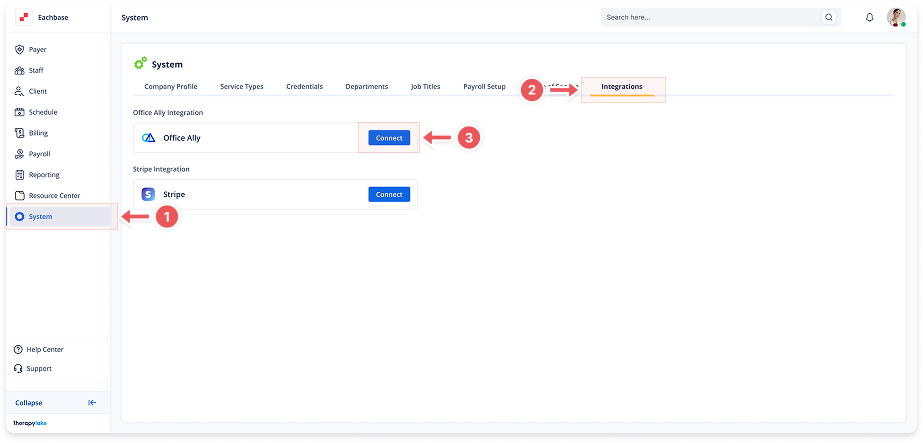
1. Navigate to System
-
Go to the left pane and click > System.
2. Navigate to Integrations Tab
-
Click on the Integrations tab at the top of the page.
3. Initiate Connection
-
Click the Connect button to open the credentials modal.
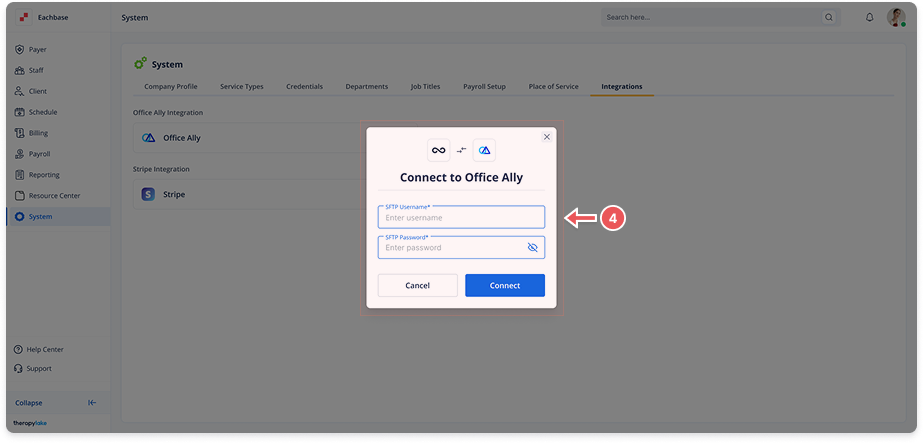
4. Enter SFTP Credentials
-
SFTP Username: Enter your Office Ally username
-
SFTP Password: Enter your Office Ally password
-
Click Connect to establish the integration
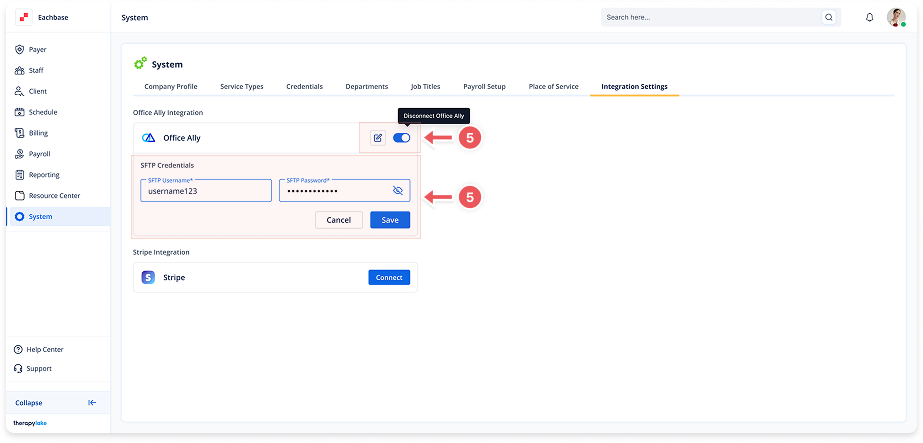
5. Manage Integration
-
Edit Credentials: Click the pencil icon → update details → click Save
-
Toggle Connection: Use the switch to enable/disable the integration
Office Ally integration can be turned on/off using the toggle.