Activating/Inactivating a Staff Member
1. Access the Staff Section
-
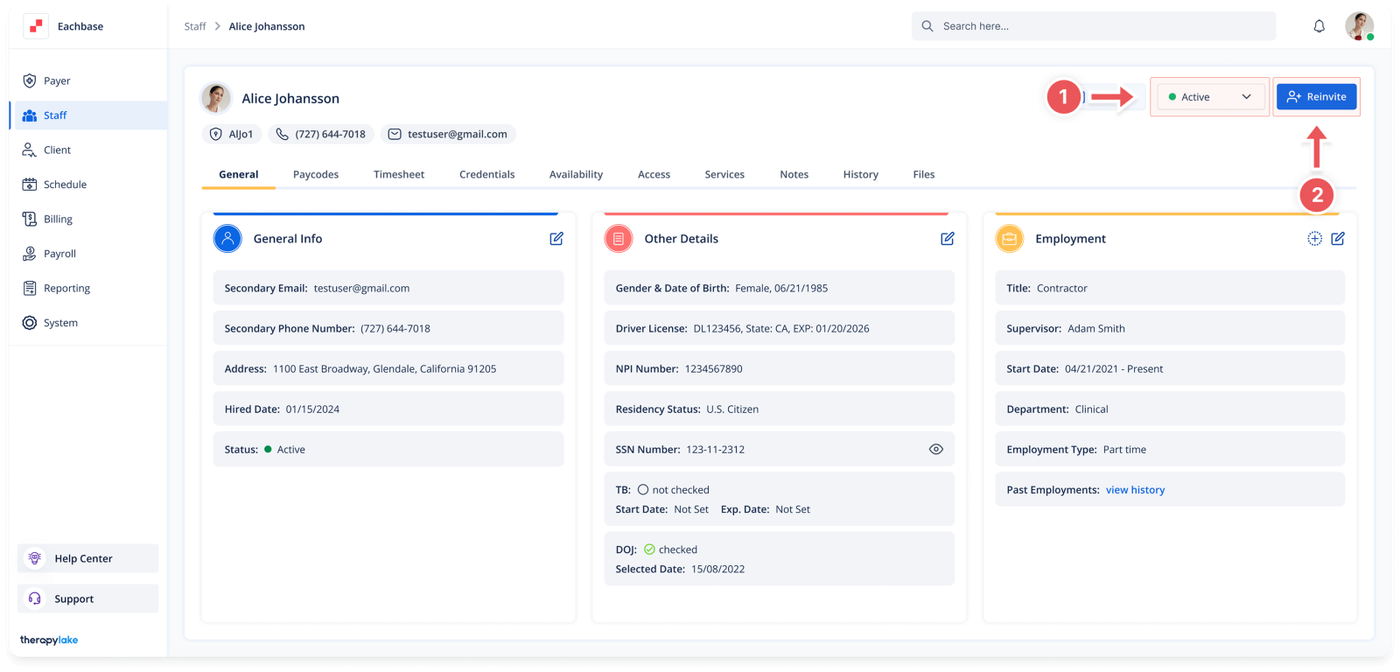
- Go to the > Staff section in the left panel.
2. Select the Staff Member
-
- Choose the staff member you want to activate, inactivate, or change the status of.
3. Locate the Status Options
-
- At the top right of the page, you will see status options such as Active, Inactive, On Hold, or On Leave.
4. Change Staff Member Status
-
- Select the desired status (Active, Inactive, On Hold, or On Leave) to update the staff member’s status.
5. Reinvite if Necessary
-
- If needed, use the Reinvite option to send a new invitation to the staff member.
6. View Updated Status
-
- The staff member’s status will be updated, and the new status will be reflected in the system.
Was this article helpful?