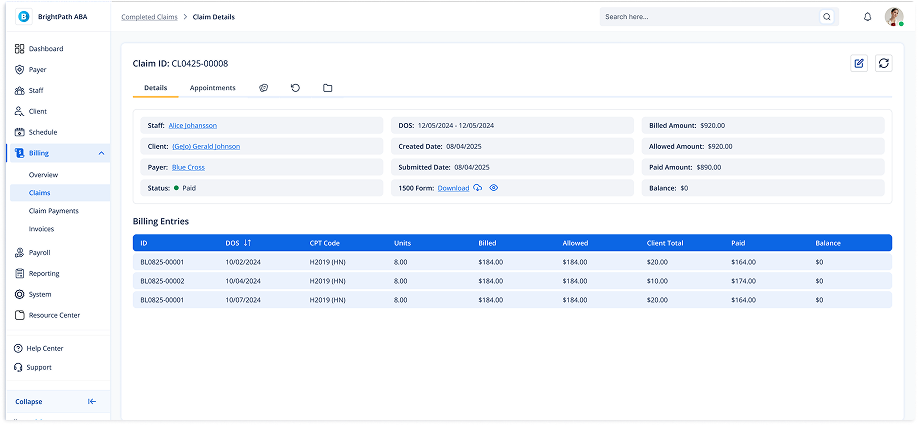
Viewing Claim Details in Completed Claims
1. Navigate to Completed Claims
-
Go to the left sidebar and click on Billing > Completed Claims.
2. Open Claim Details
-
Click on a Claim ID link in the Completed Claims list.
-
This will open the full Claim Details page.
3. Claim Details Page Sections
-
Staff, Client, and Payer info
-
DOS range
-
Created and Submitted dates
-
Status (Paid / Completed / Closed)
-
Billed, Allowed, Paid, and Balance amounts
-
Access to the 1500 Form (Download link)
4. Billing Entries
-
A detailed breakdown of billing entries with DOS, CPT, Units, Billed, Allowed, Paid, and Balance.