Deleting Covered Credentials
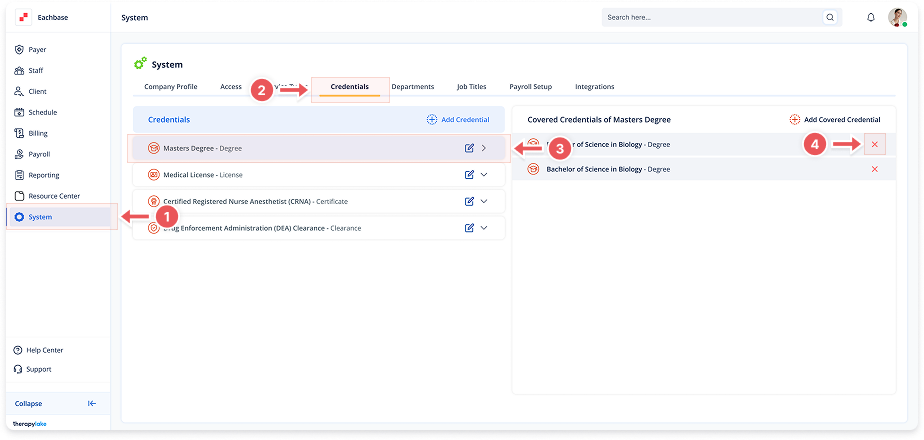
1. Navigate to System
-
Go to the left pane and click > System.
2. Navigate to Credentials Tab
-
Click on the Credentials tab at the top of the page.
3. Select the Credential
-
In the left table labeled Credentials, find and click on the credential containing the covered credential you want to remove.
4. Delete Covered Credential
-
Locate the credential in the Covered Credentials table on the right.
-
Click on the red X icon next to the credential you want to remove.
-
Confirm deletion by clicking Remove in the popup modal.