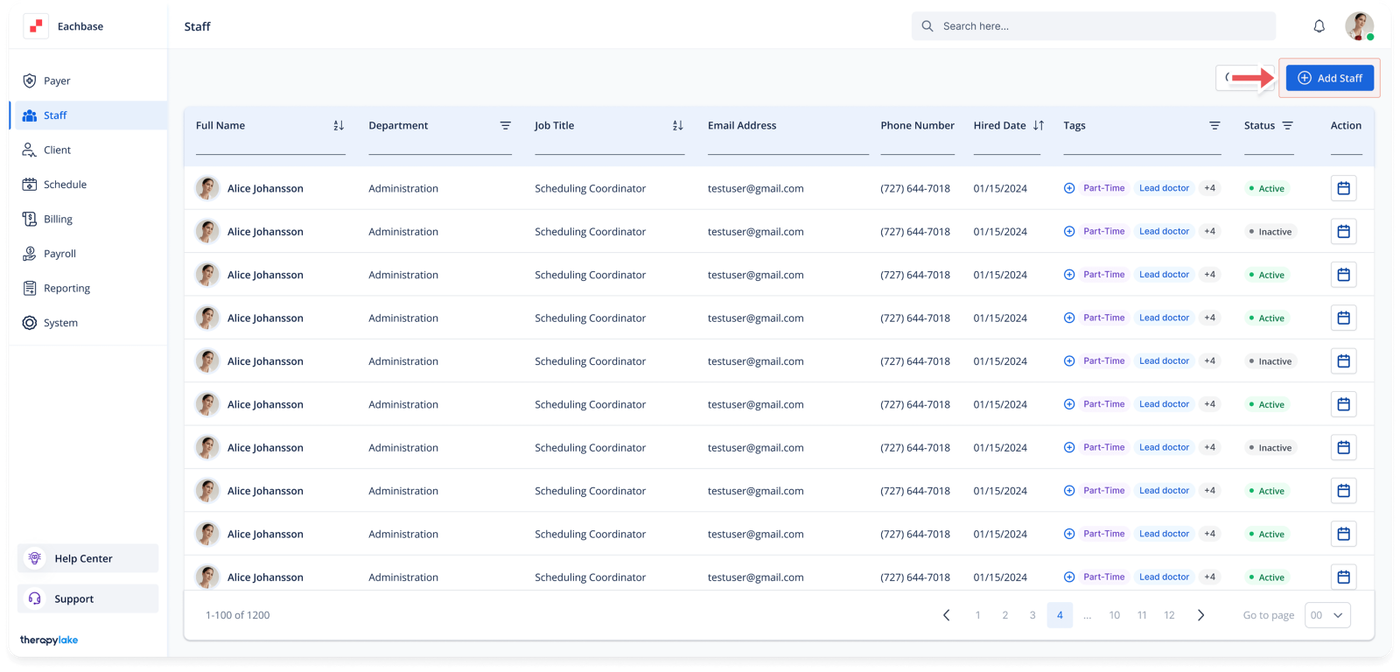
Downloading a CSV of the Staff
1. Access the Staff Section
-
- Go to the > Staff section in the left pane.
2. Locate the Download CSV Button
-
- Once in the Staff section, navigate to the top right of the page.
3. Download the CSV
-
- Click on the Download CSV button.
4. CSV File Download
-
- The CSV file containing the staff details will automatically download to your device's default download location.