Generating Invoices
1. Navigate to the Invoices Section
-
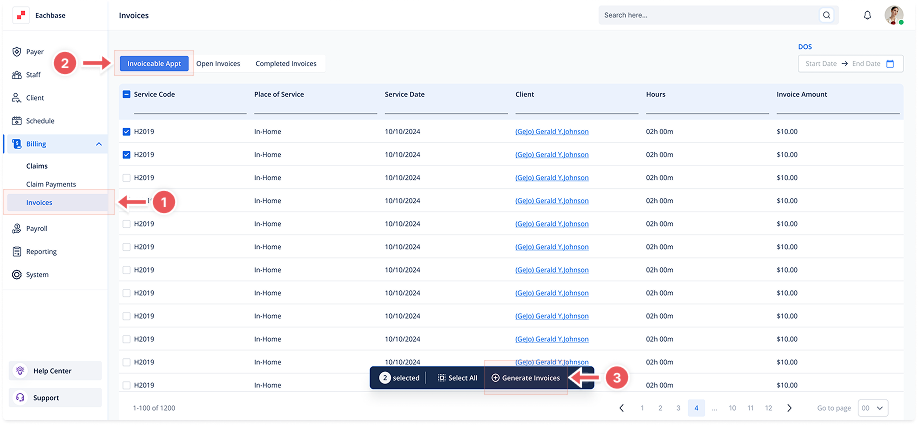
Go to the Billing section in the left pane and click on Invoices.
2. Click on the Invoiceable APPT Tab
-
At the top of the page, click the Invoiceable APPT tab to view the list of Invoiceable Appointments.
3. Select Appointments
-
Select one or multiple appointments by checking the checkboxes.
-
To select all appointments, click the checkbox Select All.
4. Initiate the Invoice Generation
-
Click the Generate Invoice button located at the bottom center of the screen.
5. View Generated Invoices
-
The newly generated invoices will now appear in the Open Invoices Tab.