Managing Integrations - Stripe
Configure third-party integrations from the Integrations tab in System settings.
Connecting to Stripe
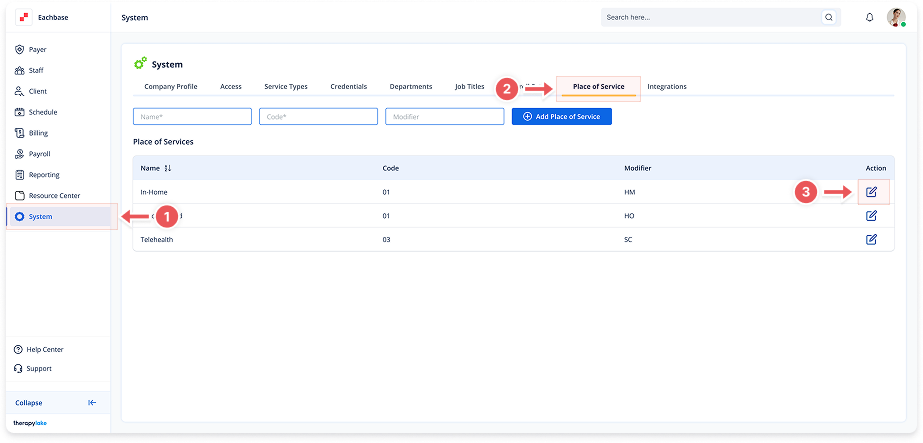
1. Navigate to System
Go to the left pane and click > System.
2. Navigate to Integrations Tab
Click on the Integrations tab at the top of the page.
3. Initiate Stripe Connection
Click the Connect button to open the API keys modal.
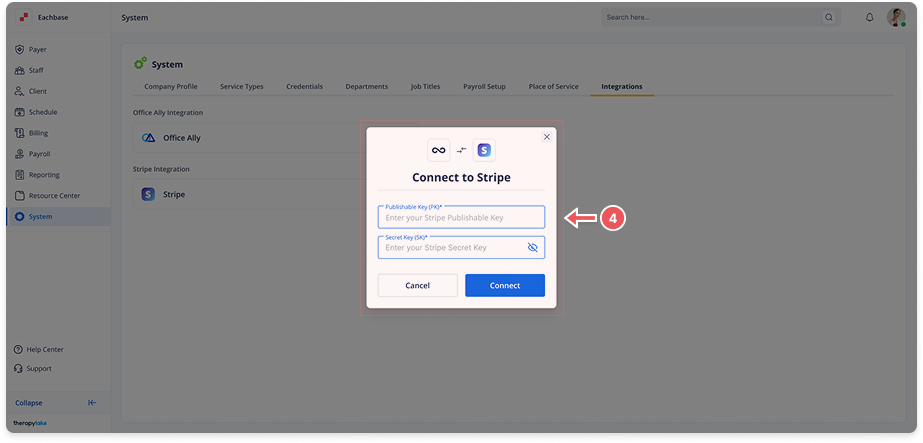
4. Enter Stripe API Keys
Publishable Key (PK): Enter your Stripe PK
Secret Key (SK): Enter your Stripe SK
Click Connect to establish the integration
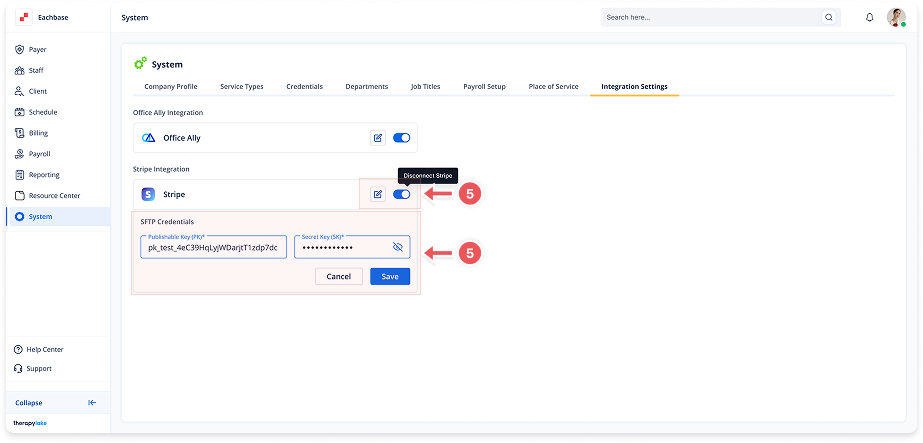
5. Manage Stripe Integration
Edit Keys: Click the pencil icon → update keys → click Save
Toggle Connection: Use the switch to enable/disable the integration